
Guide / tool examples
Inventory management tools — examples by the job they do
Tools are best understood by the job: counting, reordering, scanning, promising. Four worked examples, what each replaced, and why they belong on one record rather than four apps.
The key facts
- Tools are jobs, not products: the count tool, the reorder tool, the scanner pair, the promise (order) tool — each replaced something worse.
- The worked examples show the before: clipboards, reorder guesswork, keying errors, order books — and the tool's honest improvement.
- One record beats four apps: each tool works best reading and writing the same movement history.
- BSimple runs all four jobs on one record — from $180/month AUD, with the trial demonstrating each on your products.
Example 1: the count tool (replacing the clipboard)
Before: a printed list, a pen, a Tuesday afternoon, and variances "corrected" to match the sheet. The tool: a count screen where quantities are entered per location, variances compute against the record, and adjustments land only after review — with a reason and a name. The improvement is not speed alone; it is that discrepancies become information. The stocktake flow and the order-book history it replaced show the before and after.
- 01The key facts
- 02Example 1: the count tool (replacing the clipboard)
- 03Example 2: the reorder tool (replacing the guess)
- 04Example 3: the scanner pair (replacing the keyboard)
- 05Example 4: the promise tool (replacing the order book)
- 06Where BSimple fits the picture
Example 2: the reorder tool (replacing the guess)
Before: someone walks the shelf on Friday and decides what to buy from memory. The tool: par levels per product compared continuously against live quantities and incoming purchase orders — so the reorder view shows what to buy now, what is already on the water, and what can wait. The improvement: stockouts stop surprising anyone, and double-ordering stops draining cash. The purchasing flow is where this tool lives.
Example 3: the scanner pair (replacing the keyboard)
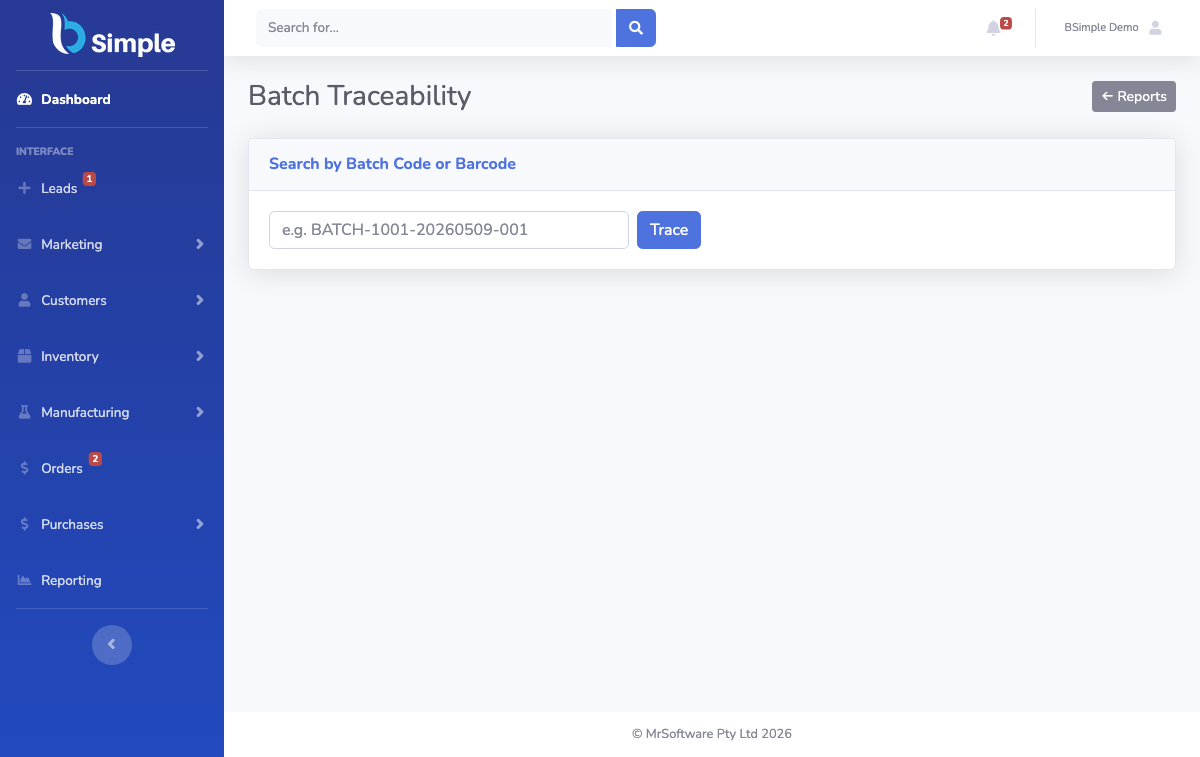
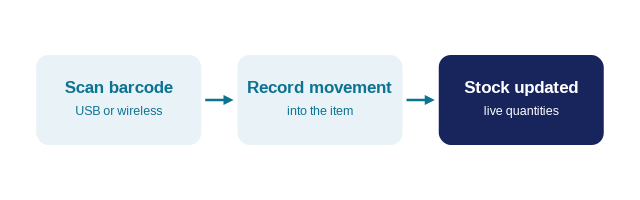
Before: SKUs keyed by hand into a spreadsheet, transposition errors quietly poisoning the record. The tool: a scanner that types the code into the system — receiving against supplier barcodes, picking confirmed by scan, counts built from shelf scans. The scanner is the input; the improvement comes from the record resolving each code to a movement. The scanner workflow and the barcode overview cover the hardware side.
Get started with BSimple
Example 4: the promise tool (replacing the order book)
Before: an order book where promises were written and quantities were checked by walking to the shelf. The tool: order entry that checks live availability — including stock already promised to other customers — at the moment of entry, with states (placed, picked, invoiced, paid) visible to everyone, and wholesale customers promising themselves through their portal. The order flow is the full walk-through.
The through-line in all four examples: each tool reads and writes the same movement history. Four apps with four private databases recreate the silos the tools were meant to remove — which is the design argument for one record behind every job.
Where BSimple fits the picture
We build BSimple, so weigh that: all four tools are facets of one product — count screens, reorder views, scanner-friendly inputs and checked order entry on the same record, with invoices pushed to Xero or MYOB (US integrations rolling out) and batches where products demand them. For wholesale, manufacturing, distribution and trade businesses it runs from $180/$250/$399 per month AUD, and the trial runs each example above on your products — the fastest way to see which job it solves first for you. The wider tool landscape places these among the other business tools.

Frequently Asked Questions
What are examples of inventory management tools?
By job: count tools (stocktakes with variance review), reorder tools (par levels against live and incoming stock), scanner pairs (codes resolved to movements), and promise tools (order entry checked against availability). One record behind all four beats four apps.
Which tool should a small business adopt first?
The count tool — because accuracy is the foundation every other tool assumes. A truthful count with reviewed variances, then the reorder tool, then scanning as volume justifies the hardware.
Can these tools work standalone?
Partially — each has standalone versions, but they share the same underlying record in practice. Counting against one database while reordering runs from another recreates the two-lists problem the tools were bought to end.
Do we need all four?
No — adopt by pain: counting when variances confuse, reordering when stockouts surprise, scanning when keying errors cost, portals when repeat customers phone too often. The stage guide sequences the adoption honestly.
How do we test these tools on our own products?
The trial runs all four in one week: a count, a reorder cycle, a scan session, an order from intake to invoice. The job that improves least tells you where your bottleneck really is.
BSimple