
Guide / order book basics
What is a stock order book?
It is the running record of every customer order and its state: what was ordered, what is promised, what is in transit, and what still needs buying or producing. Here is how a good one works.
What a stock order book records
- Who and what: the customer or job reference, the products, and the quantities.
- When: the order date and the requested delivery date — the two dates the whole book is judged against.
- State: current status, from placed through picked and packed to invoiced.
- Stock position: what is available, what is already allocated to this and other orders.
- What is missing: any quantity still to purchase or produce before the order can ship.
The entries that make it useful
A useful order book makes the next action obvious. Every entry should tell whoever reads it whether the order can be fulfilled now, needs stock received, needs producing, or is already on a pallet. The exact fields vary by operation, but the test does not: pick any entry and ask what happens next. If the answer requires opening a second document, the book is incomplete.
Review the book against physical stock and supplier commitments regularly. That habit separates stock that is genuinely available for a new order from stock that is promised, in transit, damaged or awaiting a count — and it gives purchasing an early warning when incoming goods will not arrive before a committed delivery date. How the inventory record explains itself is the wider discipline the order book sits inside.
- 01What a stock order book records
- 02The entries that make it useful
- 03Available versus allocated: the distinction that matters
- 04From paper book to software
- 05Where the order book meets purchasing
Available versus allocated: the distinction that matters
The most expensive number in an order book is "available" when it really means "on the shelf". A shelf quantity that includes units already promised to other orders produces overselling: two orders, one pallet, one apology. A well-kept book shows available (on hand minus allocated) and allocated separately, so nobody can promise the same units twice.
This is also where manual books fail first. The book is updated when the order is written, but the allocation changes as orders ship, cancel and arrive — and a paper or spreadsheet book only knows what someone remembered to enter. Software keeps the allocation live because the order, the stock and the dispatch are the same record; what order management software does covers that workflow end to end.
From paper book to software
A spreadsheet or paper book works for a small operation with one person maintaining it — the format is not the problem. The failure mode as volume grows is delay: the gap between an order being recorded and stock being updated everywhere else. During that gap, the book says one thing and the shelf says another, and every decision made in between is a guess.
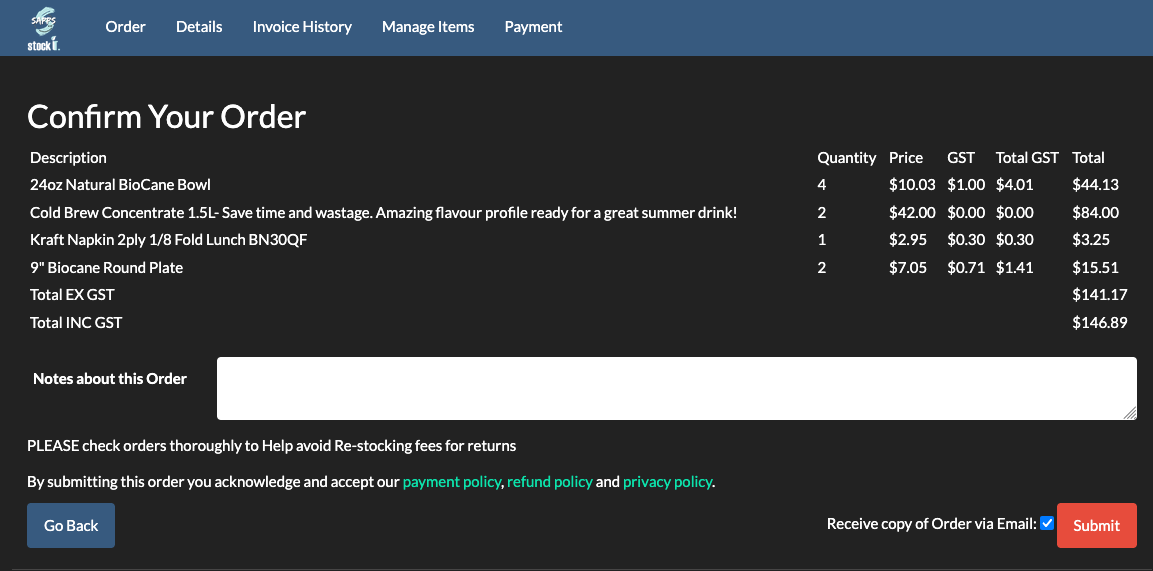
When comparing systems, ask to see how the exceptions appear in the order book — a partial shipment, a backorder, a cancellation, a return, a supplier delay. Simple demos always show the happy path of order-in, stock-out; the exceptions reveal whether the software supports the workflow you actually run. In BSimple, orders allocate from live stock, picking and packing run against the same record, and the invoice carries the same numbers — inputting orders shows the entry side of that flow.
Where the order book meets purchasing
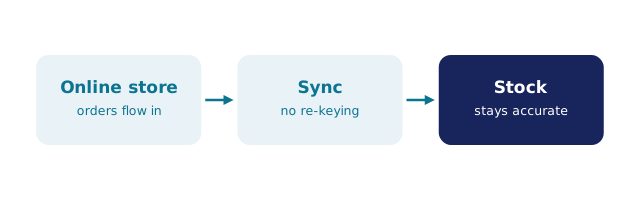
A stock order book is not only a selling document. Every entry with a "still to purchase" quantity is a demand signal, and the book is at its best when that signal reaches purchasing without a hand-copy: the order shows the shortfall, and a purchase order can be raised against it, with goods receipts updating the book as stock arrives.
BSimple runs that loop on one record — orders, stock and purchase orders in the same system, invoicing handed to Xero or MYOB. For the definition-first view of the order workflow, start with the order management overview; the free trial is where you can watch one of your own orders travel the whole loop.
Frequently Asked Questions
What is the difference between an order book and an order management system?
The book is the record; the system is the record plus the workflow. An order management system writes the book for you — allocating stock, updating status through picking and packing, raising purchase orders for shortfalls — while a manual book relies on someone maintaining every entry by hand.
Can I keep a stock order book in a spreadsheet?
Yes, while one person maintains it and volume is low. The risks grow with volume: allocation going stale, two people editing at once, and delivery dates silently missed when incoming stock slips. The moment orders allocate from a shelf rather than a book, a shared live record earns its keep.
What does "allocated" stock mean in an order book?
Stock reserved for orders that have not yet shipped. It is still physically on the shelf, but it is no longer available to promise. Order books that track available stock as on-hand-minus-allocated prevent double-selling; books that show only on-hand quantities invite it.
How does an order book connect to purchasing?
Through the "still to purchase" column. Every unfulfillable quantity in the book is demand, and the connection is made properly when that demand turns into a purchase order without re-keying — then closes when the goods are received against it and the order becomes shippable.
BSimple