How Do You Use A Barcode Scanner For Inventory: Everything You Need

Practical guide to How Do You Use A Barcode Scanner For Inventory for Australian businesses. Streamline operations with Xero integration, automated ordering,...

Prefer to talk? Call 1300 980 598
  • Real-time inventory updates eliminating manual counting errors and data entry mistakes
  • Seamless Xero integration ensuring GST-compliant accounting with automated posting
  • Automated PO generation triggered when stock hits reorder points automatically
  • Negative inventory tracking allowing pre-sold or allocated stock management
  • Digital stocktake capabilities reducing EOFY reconciliation time by 60-70%
  • Batch and serial number tracking for complete product traceability and quality control
  • Mobile scanning flexibility using smartphones or dedicated handheld devices wirelessly

Using a barcode scanner for inventory management is one of the most straightforward ways to eliminate manual counting errors and speed up your stock operations. Whether you're running a Sydney coffee roastery, a Melbourne brewery, or any wholesale and distribution business, understanding how to implement barcode scanning properly can transform how you track products from warehouse to customer. If you're shopping for a budget-friendly starting point, our free inventory software with a barcode scanner round-up is worth a look, and multi-warehouse teams should read the warehouse management software guide alongside this page.

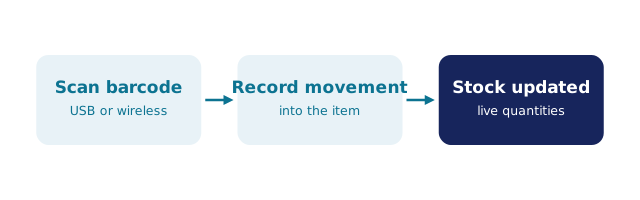
At its core, a barcode scanner works by reading the unique code printed on product labels and instantly transmitting that data into your inventory system. When you scan a barcode, the scanner decodes the information—typically a product SKU, batch number, or serial number—and sends it directly to your management software. This real-time data entry means your inventory records update immediately, giving you accurate stock levels without the delays and errors that come with manual data entry.

The basic process is simple: point the scanner at the barcode, press the trigger, and the device captures the information. Modern barcode scanners use laser or imaging technology to read both traditional one-dimensional barcodes and two-dimensional QR codes. For Australian SMBs managing multiple SKUs across warehouses, this instant capture is invaluable. Instead of writing down product codes on clipboards—which inevitably leads to transcription errors during EOFY stocktakes—everything gets logged automatically.

The real power emerges when your barcode scanner integrates with cloud-based inventory software. When you implement a proper inventory management software, each scan feeds directly into your centralised database. This means your team members in different locations see the same stock levels in real-time, eliminating the dreaded situation where someone orders stock that's already been allocated elsewhere. For businesses managing GST compliance and EOFY reporting, this accuracy is essential—your physical counts align perfectly with your digital records.

BSimple inventory management dashboard

Getting Started With Barcode Scanning Technology

Setting up your barcode scanning operation requires a bit of planning, but it's far simpler than many Australian business owners expect. First, you'll need to decide on your barcode format. Most wholesale and distribution businesses use either UPC (Universal Product Codes) for retail products or internal barcodes for your own SKUs. The format you choose should match what your suppliers provide and what your inventory management software supports.

Next, you'll need to select appropriate hardware. Barcode scanners range from affordable handheld devices costing under $200 to more sophisticated industrial models. For most Australian manufacturing and distribution operations, a reliable handheld laser scanner or 2D imager works perfectly. The scanner connects to your system either via USB cable, Bluetooth, or through your network. If you're managing a warehouse with multiple staff members, wireless scanners offer flexibility and reduce the cable clutter that creates safety hazards in busy facilities.

Once your hardware is ready, the critical step is ensuring your barcode scanner integrates with your inventory software. This is where many businesses stumble. Your scanner needs to communicate seamlessly with your system—whether that's a standalone inventory platform or something integrated with your accounting software. When you use BSimple's Xero integration, for instance, every scan updates both your inventory records and your financial data simultaneously. This dual-tracking ensures your physical stock movements align with your GST-compliant accounting records.

Training your team is equally important as the hardware setup. Even the best barcode scanner system fails if staff don't understand the process. Create simple procedures: scan incoming stock during receiving, scan items during picking and packing, and scan products during stocktakes. Make these workflows part of your daily routine rather than something special. When scanning becomes habitual, you'll catch discrepancies immediately rather than discovering problems during your next EOFY reconciliation.

Talk to us

BSimple inventory control software

Maximising Inventory Accuracy And Speed

Once your barcode scanning system is operational, the real benefits emerge through consistent application across your inventory workflows. The most immediate advantage is speed—a trained operator can scan and process inventory far faster than manual counting. Consider a Melbourne brewery managing hundreds of SKUs across different storage areas. With barcode scanning, a complete stocktake that once took two days might be accomplished in four hours, freeing your team to focus on core business activities rather than clipboard shuffling.

Accuracy improvements are equally dramatic. Manual inventory counts typically contain 1-3% errors, which might sound minor until you realise that's potentially hundreds of dollars in discrepancies for a medium-sized distributor. Barcode scanning reduces errors to near zero because there's no transcription step where human mistakes creep in. Your system knows exactly what's in stock because it tracks every movement—every receipt, every pick, every adjustment.

The real operational transformation happens when you combine barcode scanning with intelligent inventory features. When you implement automated PO generation, your system can trigger purchase orders automatically when stock falls below reorder points. Imagine this scenario: your system scans the last box of a critical component, recognises it's hit your minimum threshold, and automatically creates a purchase order to your supplier. No stockouts, no emergency orders, no production delays. This is just-in-time inventory working as intended.

For Australian businesses managing multiple warehouse locations or customer ordering portals, barcode scanning provides the visibility that makes everything else work. When a customer places an order through your portal, your system instantly knows whether you have stock available across all locations. You can allocate from the nearest warehouse, reducing shipping times and costs. Your team scans items as they're picked and packed, providing automatic confirmation that the right products are going to the right customer. This transparency builds customer confidence and reduces returns caused by picking errors.

Learn more

BSimple order management interface

Advanced Strategies For Sophisticated Operations

Advanced barcode scanning strategies take your inventory management from functional to genuinely sophisticated. One powerful approach is implementing negative inventory tracking, which sounds counterintuitive but solves real problems. Imagine you've pre-sold stock that hasn't arrived yet, or you need to allocate inventory before it's physically received. Traditional systems would prevent this, creating bottlenecks. With negative inventory capabilities, your system allows these transactions and flags them for attention. You scan items as promised to customers, your system records them as allocated, and your team knows exactly what's committed versus what's physically available.

Barcode scanning also transforms your stocktake process, particularly important for Australian businesses managing EOFY compliance requirements. Rather than the traditional method of counting everything and hoping your manual tally matches your records, barcode scanning creates a digital stocktake. Your team walks through the warehouse with a scanner, scanning every barcode they encounter. The system compares these scans against your recorded inventory and immediately flags discrepancies. Did someone miscount? The system shows exactly which items don't match. This approach typically reduces stocktake time by 60-70% while improving accuracy dramatically.

Integration with your broader business systems multiplies the value of barcode scanning. When your scanner data feeds into your customer ordering portal, clients see real-time stock availability. When it integrates with your accounting software, your inventory movements automatically post to the correct general ledger accounts. When it connects to your supplier management system, you can scan received goods and automatically match them against purchase orders. Each integration point removes a manual step and another opportunity for error.

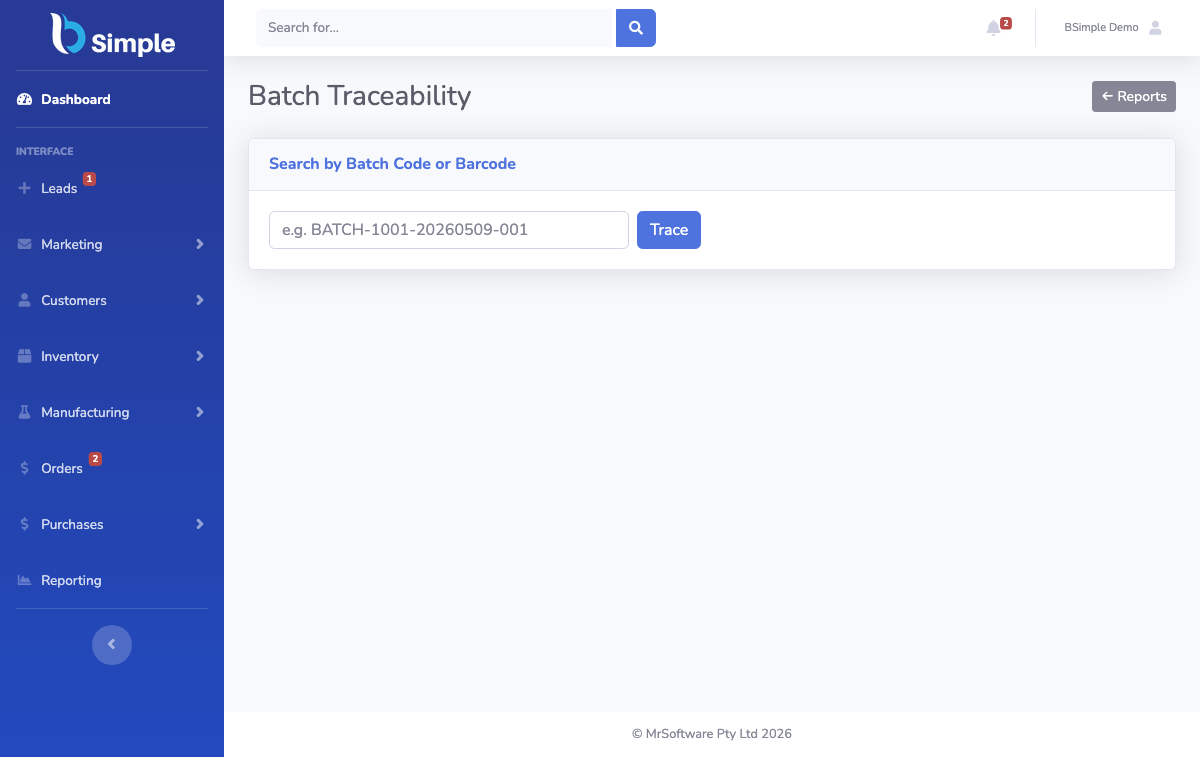
For manufacturing operations specifically, barcode scanning enables sophisticated batch tracking and traceability. Scan raw materials as they enter production, scan work-in-progress at each stage, and scan finished goods as they're completed. This creates a complete audit trail valuable for quality control, warranty claims, and regulatory compliance. A Sydney-based manufacturer producing components for export can demonstrate exactly which materials went into each batch, invaluable information if a customer reports a defect. This level of traceability, powered by barcode scanning, transforms how you manage quality and customer relationships.

Register for a free trial

BSimple purchase order workflow

Frequently Asked Questions

What types of barcodes work with inventory scanners?

Most inventory systems support both one-dimensional barcodes (UPC, Code 128, EAN) and two-dimensional codes (QR codes, Data Matrix). Your choice depends on your suppliers and what your software accepts. Many Australian businesses use a combination, scanning supplier barcodes on received goods and internal barcodes for your own SKUs.

Can barcode scanners integrate with Xero accounting software?

Yes, absolutely. BSimple's Xero integration means your barcode scans update both inventory records and your financial accounts simultaneously. Every stock movement automatically posts to the correct general ledger accounts, ensuring your physical inventory aligns with your GST-compliant accounting records.

What's the difference between laser and 2D imaging scanners?

Laser scanners work well for traditional one-dimensional barcodes at close range. 2D imaging scanners read both 1D and 2D codes, work from various distances and angles, and handle damaged or poorly printed barcodes better. For most Australian businesses, 2D imagers offer better flexibility and reliability despite slightly higher costs.

How do I handle barcodes for products without existing codes?

You can generate and print your own internal barcodes for unbranded items or components. Most inventory software allows you to create custom barcodes linked to specific SKUs. Print them on labels and attach them to products or storage locations. This works particularly well for manufacturing operations and custom components.

What happens if a barcode is damaged or unreadable?

Good inventory systems allow manual SKU entry as a fallback. If a barcode won't scan, your team can type the product code directly. However, this reintroduces manual entry errors, so focus on protecting barcodes with proper labelling and storage practices. For high-value items, consider redundant barcodes or alternative identification methods.

Can barcode scanning work with mobile devices?

Absolutely. Many modern inventory systems work with smartphone or tablet apps that use the device's camera as a scanner. This flexibility means your team can conduct stocktakes or process inventory from anywhere in your warehouse without dedicated hardware, though dedicated scanners typically offer faster scanning speeds.

How does barcode scanning improve EOFY stocktake compliance?

Barcode scanning creates digital stocktake records with timestamps and operator identification. Your system immediately flags discrepancies between physical counts and recorded inventory, making it easy to investigate variances before finalising your EOFY accounts. This audit trail satisfies compliance requirements and simplifies your accountant's work.