
Guide / the definition
What is business management software?
It is the layer that holds your operational truth — stock, orders, purchasing, invoicing — on one record, sitting between the spreadsheets you have outgrown and the ERP you do not need yet. Here is the definition, the boundaries, and the test.
The key facts
- The definition: software that runs the daily operation on one record — inventory, orders, purchasing, invoicing — with reporting and customer access built from that record.
- What it is not: not the accounting system (compliance stays there), not an ERP (no HR, payroll or MRP), not a CRM or marketing tool.
- Who it is for: stock-carrying businesses — wholesale, manufacturing, distribution, trade — where the record is daily work.
- The test of any claim to the name: can one record answer what you hold, what is promised, what you sent, and what you were paid — without reconciliation?
- 01The key facts
- 02The definition, and the line it sits on
- 03What the record does, day to day
- 04The test that separates the real from the relabelled
The definition, and the line it sits on
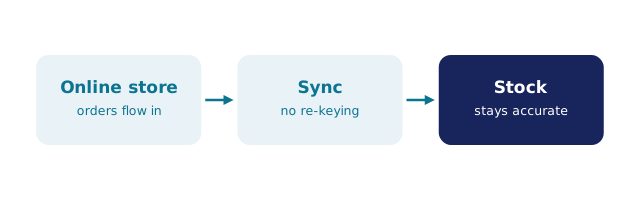
Business management software is the operational layer of a company's stack. Accounting software records what was earned and spent; business management software runs what happened operationally to earn it — the quantities received, the orders committed, the goods picked and packed, the invoices approved, the suppliers reconciled. The two layers meet at a handoff: approved invoices push to the accounting system, payment status mirrors back, and nobody re-keys anything in either direction.
The category sits deliberately between two neighbours. Below it are spreadsheets, which hold data but cannot enforce the discipline (concurrency, live deduction, audit trails). Above it are ERP suites, which add HR, payroll, MRP scheduling and multi-entity consolidation — power that arrives with administrators and implementation projects. Business management software is the layer for businesses that have outgrown the first and do not yet need the second; the ERP boundary and the software type map draw both lines in detail.
What the record does, day to day
- Inventory: live quantities across locations, multi-level stock (boxes to sleeves to cases), negative-inventory guardrails, reorder and par levels, stocktakes, batch and expiry tracking with traceability search.
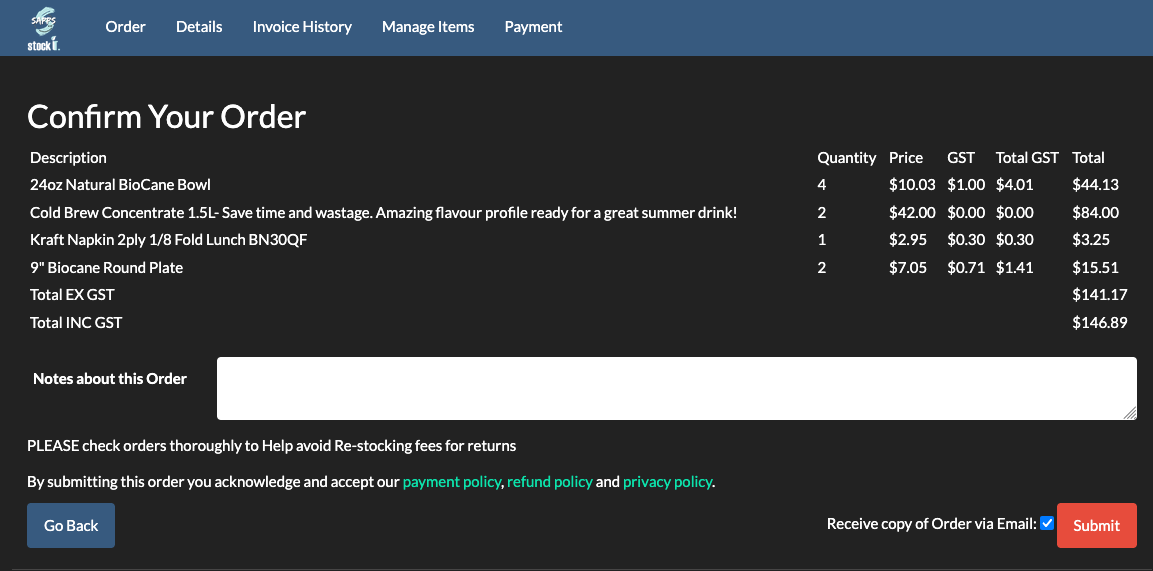
- Orders: capture from every channel — a customer portal with per-customer pricing, phone, or an online store imported by webhook — then validation against live stock, picking and packing, and a deliberate approval before quantities commit.
- Purchasing: purchase orders raised from demand, goods receipt updating stock, supplier invoices reconciled including tax handling.
- Invoicing and the books: approved invoices push to the accounting system with payment status mirroring back.
- Reporting and access: dashboards on order, invoice and stock values; permissions per role; an audit trail behind every action.
We build BSimple, so weigh that: that list is the product, from $180/month AUD with every feature in the core plans, browser-based, with no implementation project between signing and working. What a business management system includes, the system diagram and the data-management angle cover the pieces in depth.
The test that separates the real from the relabelled
Plenty of products claim the name. The test is one question answered by one record: can you see what you hold, what is promised, what you sent and what you were paid — without a reconciliation meeting? Tools that answer only part of it are point solutions wearing a broader title: a till that cannot purchase, an invoicing app that cannot pick, a tracker that cannot hand off to the books. The practical evaluation fits in an afternoon: run the trial, load your real products, receive one purchase order, sell a few units, run a count — and see whether the record holds. The buying process turns that into a decision, and the definition of the trade covers the vocabulary.
Frequently Asked Questions
What is business management software in simple terms?
Software that runs your daily operation on one record: what you hold, what is ordered, what you bought, what you invoiced — with reporting and customer access built from that record, and the books kept separately in your accounting system.
How is it different from accounting software?
Accounting records financial transactions and produces compliance-ready books; business management software runs the operations those records describe. They connect — invoices push from one to the other — but neither replaces the other.
Is BSimple business management software?
Yes — that is its category. BSimple holds one record of inventory, orders, purchasing and invoicing for wholesale, manufacturing, distribution and trade businesses, with the accounting handoff to Xero or MYOB and no HR, payroll or MRP inside.
When does a business need it?
When stock or orders become daily work and the spreadsheet starts negotiating with a second person, a second location or a second channel. The upgrade trigger is the first oversell or surprise stocktake that costs real money.
How do we evaluate a claim to be business management software?
Ask for the one-record test on your own products in a trial: hold, promise, send, paid — no reconciliation. Start with ours here and apply the same test to every claimant.
BSimple