
Guide / the software map
Management software examples, by job
"Management software" is a shelf of different tools wearing one adjective. Sorted by the job each type does, the shelf gets simple — and where BSimple belongs on it becomes obvious.
The key facts
- Six types cover the shelf: business management, operations/inventory, project, people (HR), customer (CRM), and finance/accounting.
- Each type answers one question — from "what do we hold and owe?" (operations) to "what did we earn and spend?" (finance).
- Overlap is where confusion lives: suites blur types; the fix is asking which question the tool actually answers.
- BSimple's type: business management for stock-carrying businesses — one record of inventory, orders, purchasing and invoicing; not HR, not accounting.
- The full picture: how the inventory record works is the hub page for everything above.
- 01The key facts
- 02The six types, each with its question
- 03Reading the examples you will meet
- 04Where BSimple sits on the map
The six types, each with its question
Business management software answers "how does the whole operation run day to day?" — inventory, orders, purchasing, invoicing on one record, sometimes with reporting and customer portals. BSimple sits here, deliberately narrow and deep. Operations and inventory software is a sibling that narrows further to stock itself — quantities, warehouses, batches — sometimes standalone, sometimes inside the business layer. Project management software answers "what is in flight and who is on it?" — boards, timelines, task ownership; invaluable for teams whose work is one-off rather than repetitive.
HR software answers "who works here, and are they paid and compliant?" — rosters, leave, payroll where regulation allows. CRM answers "who might buy, and who should we chase?" — pipelines, stages, contact history. Finance and accounting software answers "what did we earn, spend and owe the tax office?" — the books, BAS and payroll-adjacent compliance. Six questions, six tools; most confusion in this category comes from a product answering two questions badly instead of one well.
Reading the examples you will meet
When a vendor appears in "management software" lists, test it with the question above: which of the six does it actually answer, and does it answer a second one badly enough to be dangerous? Suites bundle genuinely — but each layer has its own leaders, and bundles rarely lead everywhere. The practical test for any example on any list: ask to see the workflow your business repeats daily, run by a person like yours, on data like yours. A tool that cannot demo its core answer in minutes does not become better under a longer contract.
For the business-management slice specifically, the full list of business management software types walks the variants, what business management software is defines the record-first approach, and operations management tools covers the operational corner.
Where BSimple sits on the map
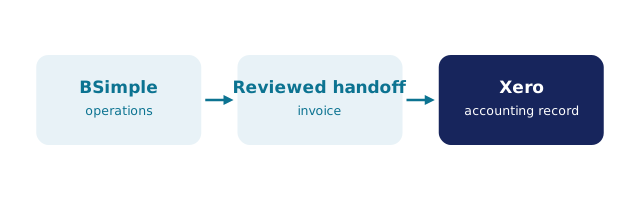
We build BSimple, so weigh that. Its question is "how does a stock-carrying business run day to day?" — and the answer is one record: live quantities across locations, multi-level stock, batch and expiry tracking, purchase orders raised from demand, orders moving from the customer portal through picking to approved invoices, reporting dashboards, and the handoff to the books (Xero or MYOB; US accounting integrations rolling out). It deliberately does not answer the HR or accounting questions, and the boundaries are stated rather than blurred. Plans run $180/$250/$399 per month AUD with everything in the core plans.
If your daily question matches that shape, the trial is the test that beats any example list — your products, your week, one afternoon. Business management system diagrams show the record's shape visually if that helps the comparison.
Frequently Asked Questions
What are the main types of management software?
Six, each with its own question: business management (the daily operation), operations/inventory (stock), project (work in flight), HR (people), CRM (customers), and accounting (money). Match the tool to the question your business is failing to answer.
What type of software is BSimple?
Business management software for wholesale, manufacturing, distribution and trade businesses — one record of stock, orders, purchasing and invoicing, with accounting handed to Xero or MYOB and no HR or payroll inside.
Can one tool cover several types?
Some cover two well — BSimple covers business management and operations on the same record. Beware tools claiming all six; the depth usually lives in one layer and the rest is checkboxes.
Which type should a small business buy first?
Accounting first (compliance is not optional), then operations if stock or orders are daily work. CRM and project tools follow need, not fashion — the trial shows whether the operations gap is yours.
How do I compare examples on different lists fairly?
Sort by type first, then compare within one type on the same data. Cross-type comparisons always flatter the wrong tool — a CRM "wins" on inventory it cannot actually run.

BSimple