
Guide / process management
Business process management software: examples that make it concrete
Six processes small and mid-size businesses actually run — ordering, purchasing, invoicing, stocktakes — each shown as it happens manually and as a managed process.
The key facts
- BPM is a discipline, not only a product category — enterprise suites model any process; operations software embeds the common ones directly.
- The six examples: customer ordering, purchase approval, invoicing, stocktakes, production runs, customer self-service.
- The honest boundary: BSimple is not a modelling suite — it is operations software with real processes (approvals, guardrails, state) built into the record.
- A process is "managed" when it has a state, a rule and a trail — not a sticky note and a favour.
- 01The key facts
- 02Six examples, manual versus managed
- 03What these examples have in common
- 04How to spot an unmanaged process in your business
Six examples, manual versus managed
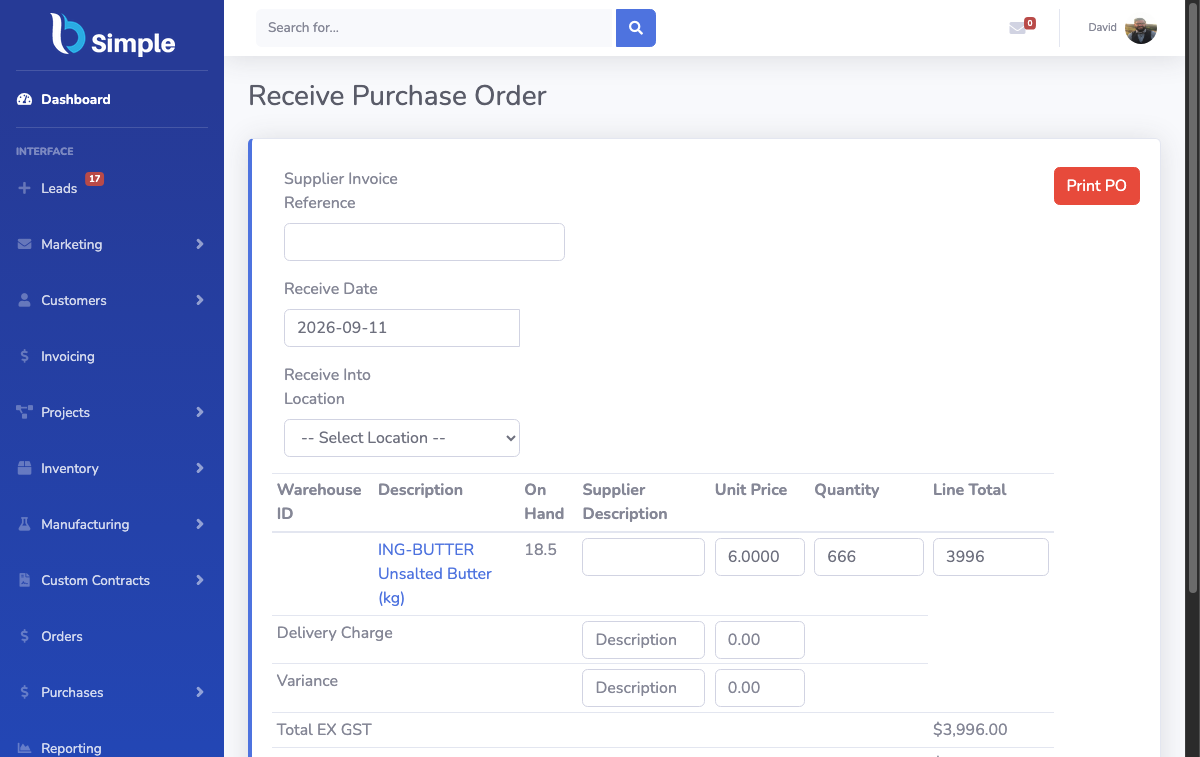
Customer ordering. Manual: an email becomes a spreadsheet row, a phone call becomes a text message, pricing lives in someone's head. Managed: orders arrive through a per-customer portal with that customer's own product list and pricing, and every order lands as the same record.
Purchase approval. Manual: "did we already order this?" asked across the office, then a supplier called twice. Managed: purchasing from demand — reorder levels signal what to buy, purchase orders carry status, and goods receipt updates stock.
Invoicing. Manual: re-typing a packed order into an invoice template, hoping the quantities match. Managed: the checked order becomes a draft invoice, approval is an explicit step, and the approved invoice crosses to accounting without re-entry.
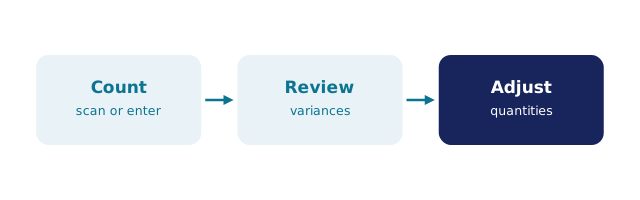
Stocktakes. Manual: a closed day, clipboards, and a variance list nobody trusts. Managed: cycle counts and EOFY counts with variances flagged for review, adjustments attributable on the record.
Production runs. Manual: recipe versions in a folder, shortages discovered mid-run. Managed: a recipe with version history runs against live stock, shortages checked before the run starts, and the batch that results is traceable from supplier to customer.
Customer self-service. Manual: "can you send me my order history?" emails. Managed: customers see their own orders, pricing and status through their link — no staff time, no passwords to reset.
What these examples have in common
Each became a process the moment three things existed: a state (where the order, purchase or count currently sits), a rule (what must be true to move it forward — approval, stock availability, a count reviewed), and a trail (who moved it, when, and why). Enterprise BPM software lets you model arbitrary processes with those three ingredients; operations software like BSimple builds the ingredients into the records businesses touch every day, which is why the operations dashboard can show order, invoice and stock values without anyone filing a report.
The distinction matters when you are shopping. If your processes are unusual — approvals routed by region, cases escalated by regulation — a modelling suite or a rules-engine approach may be the right tool. If your processes are the common ones above, software that already runs them will beat software that asks you to draw them first. The vendor landscape and the worked examples page cover both routes.
How to spot an unmanaged process in your business
Three symptoms: the same question gets asked twice per cycle ("has this shipped?"); the process lives in one person's habits rather than a record; and exceptions have no history — when something goes wrong, nobody can say what usually happens. Any one of these costs hours a week; together they are the difference between a busy business and a controlled one.
The trial shows the managed versions of all six examples above on your own products — including the automation pieces that move records between states without a human courier.
Frequently Asked Questions
Is BSimple business process management software?
Not in the modelling-suite sense — there is no canvas for drawing arbitrary workflows. BSimple is operations software with the core processes (ordering, purchasing, invoicing, counting, production) built in as states, rules and trails on the record. For those processes, that is the faster path to managed.
What is the difference between BPM software and an ERP?
BPM suites orchestrate processes across systems; ERPs bundle many back-office functions; operations software runs the day-to-day record. BSimple deliberately sits below ERP weight — no MRP scheduling, HR or payroll — with processes embedded rather than modelled.
Which process should we manage first?
The one with the highest repetition times consequence. For most wholesale and manufacturing businesses that is either ordering (repeated daily, errors cost customers) or invoicing (repeated daily, errors cost cash). Both are in the examples above with their managed shapes.
Do we need BPM software if we already have an ERP?
Sometimes — when the ERP is too heavy to be used on the floor, processes fall out of it into spreadsheets. The fix is not always another layer; sometimes it is a lighter operations record feeding the ERP, which is the boundary BSimple is built for.
How long does it take to see a process working?
One cycle. Load your products, run one order or one stocktake through the software, and compare the timestamps to your manual process — the trial exists precisely so that comparison happens on your numbers.

BSimple