
Guide / order organisation
How to organize orders in a small business
The inbox is not an order system. A method that works at any volume — one intake, one record, defined stages, visible status — and the point at which software replaces the ritual.
The key facts
- The four rules: one intake, one record, defined stages, visible status — tools change, the rules do not.
- The failure pattern is universal: orders scattered across inbox, texts and notes; nobody knows an order's state without asking someone.
- Paper-and-ritual versions of this method work at low volume — and the same method is what software automates.
- BSimple is the automated version: one record, stages built in, portals for intake — from $180/month AUD, with a trial.
- Where it fits: this page is one step of the order management walkthrough.
- 01The key facts
- 02Rule 1: one intake
- 03Rule 2: one record — and rules 3 and 4 follow from it
- 04Where the ritual ends and software begins
Rule 1: one intake
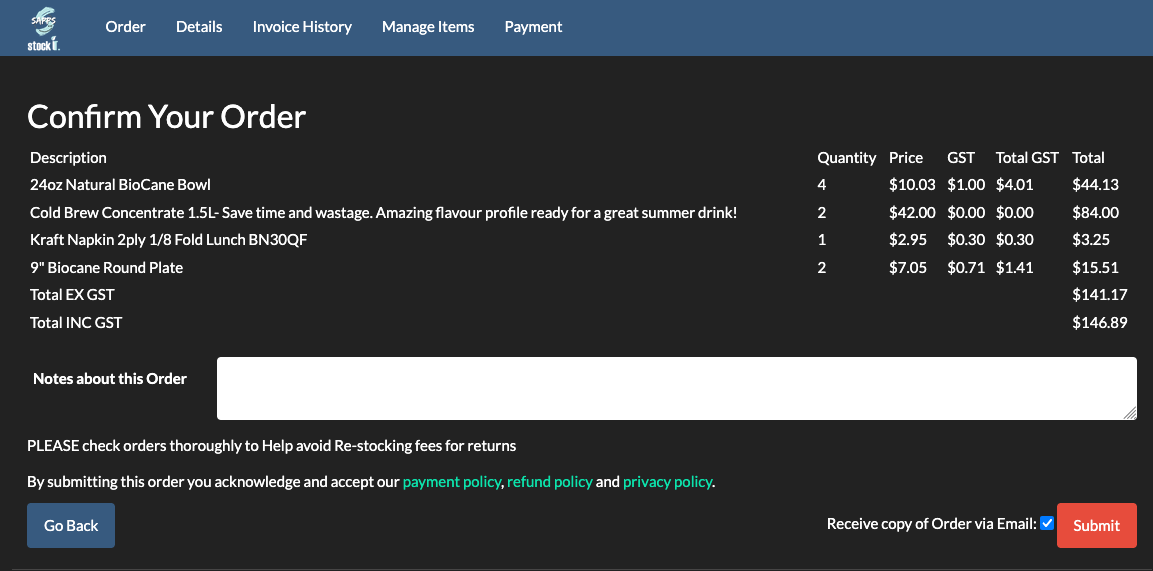
Orders may arrive anywhere — phone, email, text, a customer walking in — but they must enter the system in one place. The intake ritual is simple: the moment an order is confirmed, it is written into the one record, with the customer, products, quantities and promised date. Every order that exists only in an inbox or a memory is a future apology. If intake currently means "whoever heard it first remembers it", that is the first thing to fix, before any software conversation.
The upgrade that changes small businesses most at this rule: giving repeat customers a way to enter orders themselves. Even a shared form beats transcription; a real ordering portal with their own products and pricing removes the transcription entirely.
Rule 2: one record — and rules 3 and 4 follow from it
One record. Every order, in one list, from every channel — not a spreadsheet per customer, not the inbox-as-archive. The record holds what was ordered, for whom, when it is due, and what state it is in.
Defined stages. Pick the stages that match your reality — for most small businesses: entered → checked against stock → in progress → ready → invoiced → paid. Write them down. The value is not the vocabulary; it is that every order is always in exactly one stage, so "where are we up to?" has an answer that does not require a person.
Visible status. The stages must be visible to everyone who touches orders — the person on the phone can answer without walking to the workshop, and the overdue stage is seen rather than discovered by an angry customer. A whiteboard with columns satisfies rule 4; a shared list satisfies it better; a system satisfies it automatically. The order life cycle is the same method with the stages explained in full.
Where the ritual ends and software begins
The paper version of this method — one book, four columns, one person who owns it — genuinely works at low volume, and there is no dishonest urgency here. Software becomes the better tool at the same thresholds as ever: a second person needs the truth at once; quantities must be checked against live stock, not memory; invoicing should follow from the order rather than being retyped; or customers ask about status more than once a day. The small-business order shortlist and the organisation examples are useful if you are comparing tools — but note the method comes first, or the tool digitises the chaos.
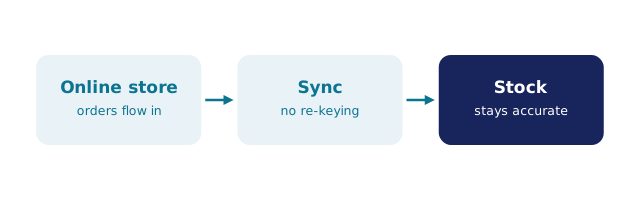
We build BSimple, so weigh that: it is the method above automated — orders from every channel into one record, stages built in, stock checked live, invoices pushed to Xero or MYOB on approval, status visible to staff and customers. The trial runs a real week of your orders through it.
Frequently Asked Questions
What is the best way to keep track of orders in a small business?
One record, one list, defined stages, visible status — however implemented. A notebook and discipline beat three half-maintained spreadsheets; a shared list beats the notebook; a system beats both once volume or people multiply.
How do we stop orders falling through the cracks?
The cracks exist between intakes and between stages. Close the first with the one-intake rule; close the second by making every order's stage visible and reviewing the oldest entries in a five-minute daily pass. Cracks thrive on invisible state.
Should customers enter their own orders?
Repeat customers should — it removes transcription and the errors that ride with it. Even a simple form helps; a portal with their own products and pricing helps more, because the order arrives already checked against your record.
What should the stages be called?
Whatever matches how your team already speaks — entered, checked, in progress, ready, invoiced, paid is a sound default. Precision matters less than constancy: every order is always in one named stage.
When is software worth it for organising orders?
When a second person needs the truth at once, when stock must be checked live at intake, or when status questions cost more than the software. The trial is how you test the third threshold with real numbers.

BSimple