Complete What Is Order Point In Inventory Management Guide with Real-Time Tracking
- Automated order point calculations based on lead time, demand, and safety stock variables
- Real-time inventory tracking with alerts when stock reaches reorder thresholds
- Seamless Xero integration for accurate financial reconciliation and GST compliance
- Negative inventory tracking for backorders and pre-delivery order fulfilment
- Seasonal order point adjustments for businesses with variable demand patterns
- Automated purchase order generation triggered by order point thresholds
- Historical analytics showing which order points perform best for each product
Understanding what is order point in inventory management is essential for any Australian wholesale, manufacturing, or distribution business — see also our Inventory Management Software for the full picture. The order point, also called the reorder point (ROP), is the inventory level at which you need to place a new purchase order to replenish stock before it runs out. It’s a critical threshold that sits between having enough inventory to meet customer demand and tying up too much capital in excess stock.
For businesses like Sydney coffee roasters or Melbourne breweries, getting this balance right can mean the difference between fulfilling orders on time and disappointing customers. The order point isn’t just a random number — it’s calculated based on your average daily sales, supplier lead times, and desired safety stock levels. When your inventory drops to this predetermined level, it triggers an automatic reorder, ensuring you’re never caught short. This approach prevents stockouts (running out of product) whilst avoiding overstock situations that waste cash and warehouse space. Many Australian SMBs struggle with this manually, constantly second-guessing whether they’ve ordered enough or too much. That’s where a proper system comes in. By automating order point calculations, you can focus on growing your business rather than obsessing over spreadsheets. The beauty of setting a proper order point is that it creates a predictable, rhythm to your ordering cycle — you know exactly when to reorder, how much to order, and why you’re making that decision.
Understanding Order Points and Reorder Triggers
The order point calculation itself isn’t complicated, but getting it right requires understanding your business metrics. The basic formula is: Order Point = (Average Daily Sales × Lead Time in Days) + Safety Stock. Let’s break this down with a real Australian example. Imagine you’re a distribution business supplying construction materials across Brisbane. You sell an average of 50 units per day, your supplier takes 7 days to deliver, and you want to keep 100 units as safety stock for unexpected demand spikes or supplier delays. Your order point would be (50 × 7) + 100 = 450 units. Once your inventory hits 450 units, you automatically place a new order.
Safety stock is crucial here — it’s your buffer against uncertainty. Lead time variability, demand fluctuations, and supplier hiccups are real challenges Australian businesses face. A Melbourne brewery might have consistent demand during summer, but winter throws everything out. Safety stock accounts for these variations, ensuring you don’t disappoint customers during peak periods. However, safety stock costs money to maintain, so you need to find the sweet spot. Too much safety stock ties up capital that could be invested elsewhere. Too little, and you’re risking stockouts that damage customer relationships and revenue. This is where inventory management software becomes invaluable — it helps you calculate the optimal safety stock level based on your actual historical data rather than guesswork. The system tracks your demand patterns, lead times, and stockout incidents, then adjusts your safety stock recommendations accordingly. Over time, this data-driven approach significantly reduces both stockouts and excess inventory, freeing up working capital for your business.
Integrating Order Points Into Your Inventory System
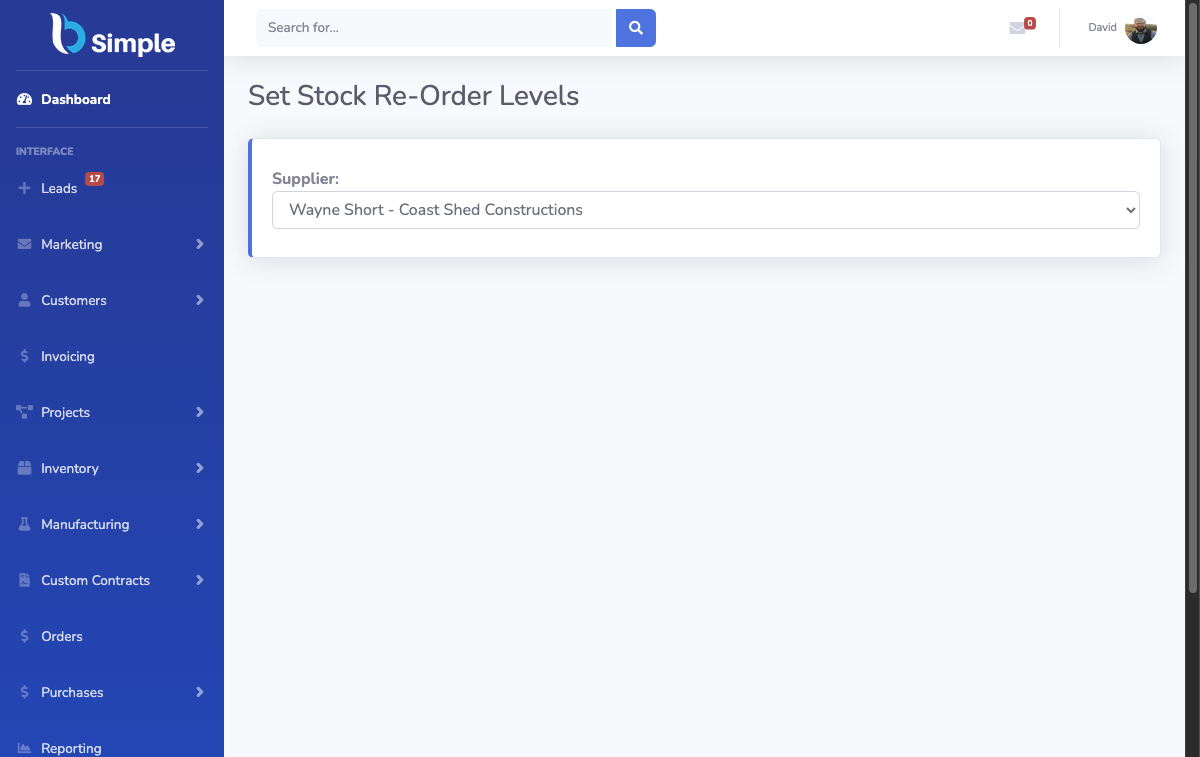
Implementing order points effectively requires integrating them into your broader inventory management strategy. This is where systems like BSimple shine, particularly for Australian businesses managing EOFY stocktakes and GST compliance. When you set order points in a proper system, you’re not just creating isolated reorder triggers — you’re building a cohesive ordering workflow. Your order point feeds directly into automated purchase order generation, which can be sent to suppliers electronically, tracked in real-time, and reconciled against deliveries automatically.
Consider how a manufacturing business in Sydney might benefit. With BSimple’s order management features, order points trigger automatic PO generation based on your supplier preferences and minimum order quantities. The system knows which supplier offers the best lead time, which one gives you volume discounts, and which one you prefer for certain product lines. It coordinates this with your Xero integration, so your financial records stay accurate without manual data entry. This automation is particularly valuable during busy periods — you’re not scrambling to remember who you need to order from and when. The system handles it. You also get real-time visibility into your ordering pipeline. You can see which purchase orders are pending, which have been delivered, and which are due soon. This prevents the common mistake of forgetting you’ve already ordered something and placing duplicate orders.
Another critical aspect is handling negative inventory situations. Australian distribution businesses sometimes need to backorder stock or fulfil orders before inventory physically arrives. BSimple’s negative inventory tracking feature allows you to manage these scenarios without losing visibility. You can still process customer orders even when stock is technically negative, as long as you know your purchase orders will arrive soon. This is particularly useful during the lead time between ordering and receiving stock.
Order Point Models for Different Business Types
Different inventory models require different order point approaches, and understanding which model suits your business is essential. The continuous review system (also called fixed-order-quantity system) uses order points to trigger orders whenever inventory falls to that predetermined level. This works brilliantly for fast-moving items with consistent demand. However, for slower-moving items or products with highly variable demand, a periodic review system might work better. In a periodic system, you review inventory at fixed intervals (weekly, monthly) and order enough to bring stock up to a target level. This approach reduces the complexity of managing multiple order points, particularly useful for businesses with hundreds or thousands of SKUs.
Just-in-time (JIT) inventory is another model gaining traction with Australian manufacturers and distributors. JIT aims to minimise inventory by ordering only what you need, exactly when you need it. This requires extremely reliable suppliers and accurate demand forecasting, but when executed properly, it dramatically reduces storage costs and working capital requirements. However, JIT is risky if your suppliers are unreliable or your demand is unpredictable. Most Australian SMBs use a hybrid approach — JIT for fast-moving items with reliable suppliers, and higher safety stock for critical items or unreliable suppliers. Your order point adjusts accordingly. With BSimple’s inventory management capabilities, you can set different order point strategies for different product categories. Your high-velocity items might have lower safety stock and smaller order quantities, whilst critical components have higher safety stock and larger orders. The system manages all these variations without requiring you to manually calculate each one.
Seasonal businesses need to adjust their order points based on anticipated demand changes. A Melbourne brewery knows summer will be busier than winter, so their order points for popular styles should be higher in November-December. BSimple allows you to adjust order points seasonally, either manually or by analysing historical patterns. This prevents the frustration of stockouts during peak season or excessive inventory during slow periods. Regular review and adjustment of your order points is essential — what worked last year might not work this year if your business has grown or your supplier relationships have changed. The best systems make this review process straightforward, showing you which order points are working well and which need adjustment.
Frequently Asked Questions
What’s the difference between order point and economic order quantity?
Order point tells you WHEN to order (the inventory level that triggers a reorder), whilst economic order quantity tells you HOW MUCH to order (the quantity that minimises total ordering and holding costs). Both work together in a complete inventory system.
Can I have different order points for different customers?
Your order points are typically based on your total demand across all customers, not individual customers. However, if you supply specific high-volume customers with dedicated inventory, you might set separate order points for those dedicated stock levels.
How often should I recalculate my order points?
Review your order points quarterly or whenever significant business changes occur — new suppliers, demand pattern shifts, or after EOFY stocktakes. Monthly reviews are ideal if your business has highly variable demand or seasonal fluctuations.
What happens if my supplier’s lead time increases unexpectedly?
Your safety stock acts as a buffer for these situations. If lead times increase, you should increase your safety stock and recalculate your order point. A good inventory system alerts you to unusual lead time delays so you can adjust proactively.
Does Xero integration help with order point management?
Absolutely. BSimple’s Xero integration ensures your purchase orders, inventory adjustments, and supplier invoices sync automatically, keeping your financial records accurate and reducing manual data entry errors that could affect your order point calculations.
How do I account for supplier minimum order quantities when setting order points?
Your order point calculation is separate from minimum order quantities. If your calculated order quantity is less than the supplier’s minimum, you’ll need to order the minimum and hold the extra inventory, or find an alternative supplier with lower minimums.
Can customer ordering portals help with order point management?
Yes. BSimple’s customer ordering portal gives you real-time visibility into customer demand patterns, helping you forecast more accurately and set better order points. You can see ordering trends before they impact your inventory levels.