
Guide / stock management basics
What is a stock management system?
It is the software that keeps one live record of your stock: what you have, where it sits, what it cost, and what is already promised to customers. Here is what that means in practice.
The short answer
- One live record: quantities across every location, updated as stock moves — not a spreadsheet corrected at each count.
- A history behind every number: receipts, picks, transfers and adjustments — every quantity explainable.
- Forward-looking tools: reorder and par levels, purchase orders raised from demand, and negative-inventory guardrails that catch overselling before it ships.
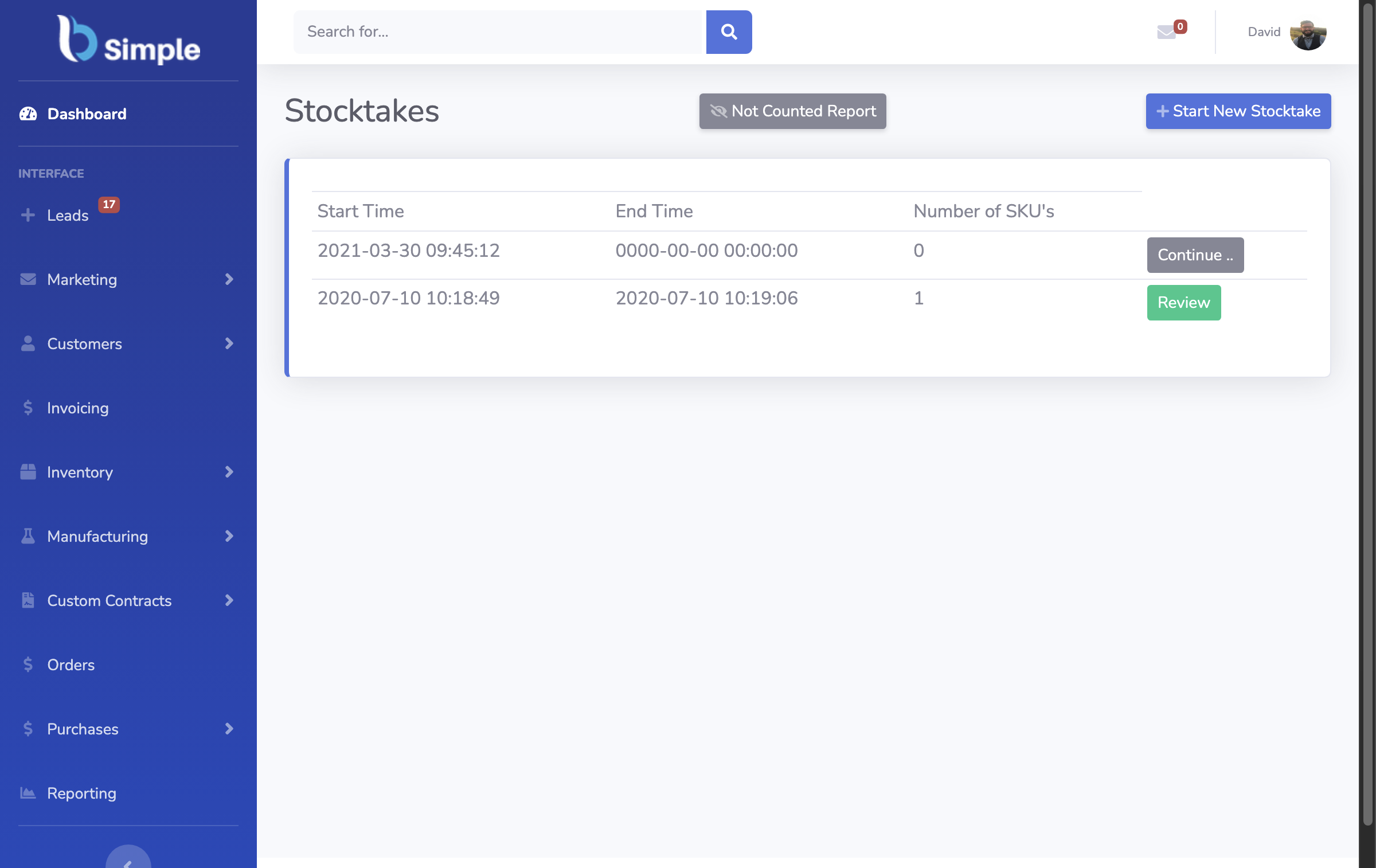
- Counts on demand: stocktakes and cycle counts, so EOFY becomes verification rather than discovery.
- An accounting handoff: invoices push to Xero or MYOB and payment status mirrors back — the accounting system stays the ledger.
- BSimple is one: cloud, browser-based, from $180/month (AUD) with a free trial.
What a stock management system does day to day
A delivery arrives and stock on hand updates the moment goods are counted in against the purchase order — not when someone remembers to update a sheet. A customer order comes in: stock is allocated, picked and packed, and the invoice carries the record the warehouse used. A bestseller dips below its reorder level, and a purchase order is raised from that demand instead of a guess.
Each movement leaves a trail: when a number looks wrong later, you can trace which receipt, order or adjustment caused it — no recounting and hoping. That traceability separates a system from a stock list — the inventory management overview shows how the pieces fit.
Underneath it all sits one discipline: stock, orders, purchasing and invoicing share one record. The moment any of them lives elsewhere, the numbers drift.
- 01The short answer
- 02What a stock management system does day to day
- 03Stock management versus inventory management
- 04How it connects to accounting
- 05When a spreadsheet stops being enough
- 06Where BSimple fits
Stock management versus inventory management
The terms overlap, but the distinction is useful. Stock management is the physical discipline: quantities on hand, kept accurate, moved in and out without loss. Inventory management is broader — the commercial layer: what to reorder and when, what stock is worth, what is selling and what is tying up cash.
If you are comparing tools, what an inventory management system covers is the wider question, and a stock management system is its operational core.
How it connects to accounting
A stock management system is not an accounting system and should not try to be. The clean division: operations run in the stock system, compliance and ledgers stay in Xero, MYOB or (rolling out) US accounting systems. Invoices push across and payment statuses mirror back — both sides agree without re-keying.
That boundary matters for EOFY: the accountant works from records they trust, the warehouse from live quantities, and the annual stocktake ties the two together. BSimple is built around this handoff — how the Xero integration works shows it in detail.
When a spreadsheet stops being enough
Spreadsheets are a legitimate start, and BSimple imports from Excel — many teams begin there. The breaking points are predictable: two people editing one sheet, quantities corrected only at a count, purchase orders in email, customers who want to order without calling. None of these are discipline problems — a spreadsheet has no workflow, no guardrails and no shared live view.
If any of those sound familiar, that is the trigger — not company size. The free stock management comparison covers what dedicated tools cost and where free ones stop.

Where BSimple fits
We build BSimple, so weigh that. It is a stock management system for small-to-medium wholesale, manufacturing, distribution and trade businesses: live quantities across locations, multi-level stock (boxes into sleeves or cases), reorder and par levels, stocktakes from a phone browser, batch and lot tracking with use-by dates — with orders, purchasing and invoicing on the same record and accounting handed to Xero or MYOB. Plans start at $180/month (AUD), and the free trial is the fastest way to test it against your own products.
The boundary, stated plainly: BSimple is not an ERP — no MRP scheduling, no HR or payroll, and it does not replace your accounting system. If you need those, an ERP suite serves you better; if you need stock done properly without that overhead, that is the job it was built for.
Frequently Asked Questions
Is a stock management system the same as inventory management software?
Mostly, yes — the useful test is capability, not naming: live quantities across locations, movement history behind every number, reorder levels, and stocktakes.
Do I still need one if I already use Xero?
Yes, for different jobs. Xero records money; it does not run the warehouse. A stock system handles quantities, locations, picks and counts, then hands invoices to Xero and mirrors payment status back.
Can a stock management system prevent overselling?
It can prevent the accidental kind: when every order allocates from the same live record and quantities cannot go negative, you cannot promise units committed elsewhere. What it cannot fix is stock genuinely not there — that is what reorder levels are for.
How much does a stock management system cost?
BSimple starts at $180/month (AUD) with inventory, orders, purchasing and invoicing included — recipes and batches carry no separate module cost. Free tools exist and suit some teams; be sure to count the manual reconciliation they leave behind, usually the most expensive line.
Can we keep our spreadsheets alongside it?
During a transition, yes — BSimple imports from Excel, and many teams run both. The end state should be one live record: a permanent parallel sheet recreates the two-versions-of-the-truth problem the system exists to solve.
BSimple