
Guide / order systems list
A list of order management systems, grouped honestly
Order tools sort into a handful of types by what they manage beyond the order. Here is each type, what it does well, where it breaks — and how to pick between them.
The list, in one view
- Order books and spreadsheets — the manual record every business starts with.
- Channel-attached order tools — orders managed inside a store, marketplace or POS.
- B2B ordering portals — customers ordering themselves, at their own pricing.
- SMB business management systems — orders on the same record as stock, purchasing and invoicing.
- ERP order modules — the enterprise version, with the administration it assumes.
- 01The list, in one view
- 02The manual and channel-attached types
- 03Portals, business management systems and ERP modules
- 04Choosing from any list
The manual and channel-attached types
Order books and spreadsheets are the oldest systems and still common: a record of what was ordered, by whom, and whether it shipped. Their ceiling is allocation — the book cannot stop two orders promising the same units, and status lives only as fresh as the last entry. How a stock order book works covers this type on its own terms.
Channel-attached tools manage orders inside the place they arrive: an online store's admin, a marketplace dashboard, a POS. They shine while every order is a sale through that channel. The break is any other movement — a phone order, a trade customer at different pricing, a purchase order covering a shortfall. Channel tools follow their channel; stock that moves beyond it needs a record that leads.
Portals, business management systems and ERP modules
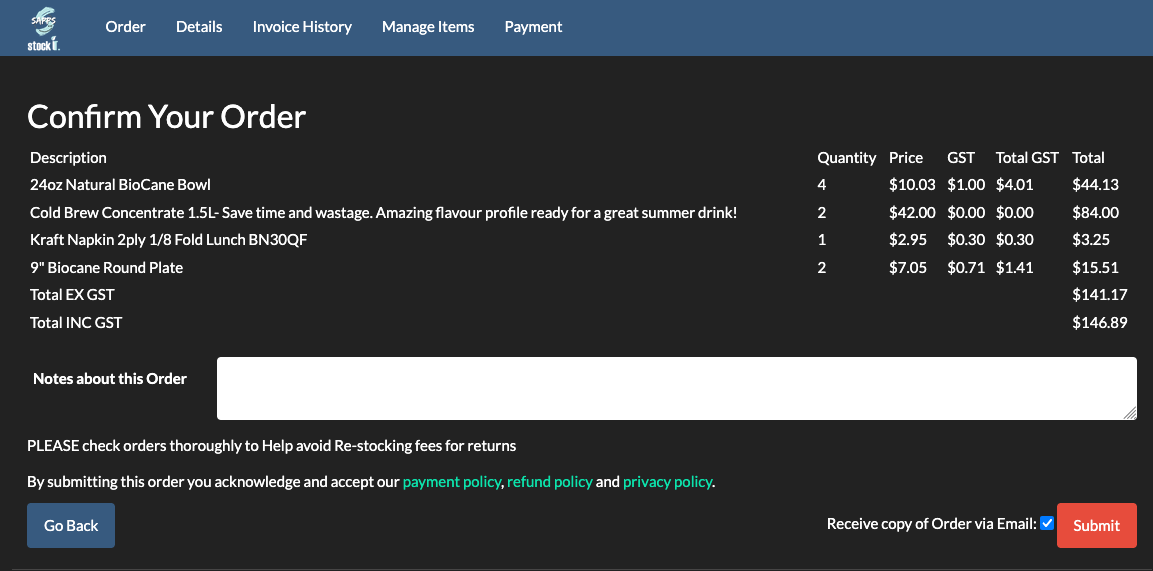
B2B ordering portals let customers order themselves — their own product list, their own pricing, no passwords where the vendor gets it right. As a category they solve order entry, and the question to ask is what record the orders land in: a portal writing into live stock is a workflow; a portal writing into an inbox is a form. BSimple's portal is the first kind — each customer sees their own list and pricing through a unique link, and the order allocates from the same record the warehouse picks from.
SMB business management systems are orders on the same record as stock, purchasing and invoicing — the type for wholesale, manufacturing, distribution and trade. ERP order modules are the same idea at enterprise scale, priced in administration. What order management software covers defines the category, and the order management overview shows the workflow end to end.
Choosing from any list
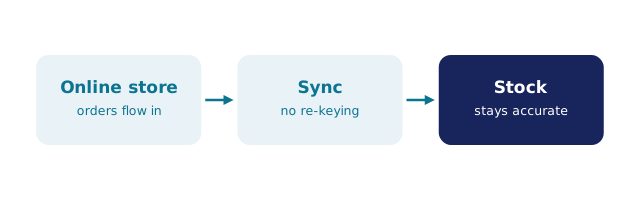
Whatever list you are holding, three checks sort it fast. Where do orders land? In live stock, in a sync job, or in an inbox — only the first is a system. What ships with the order? Pick and pack, packing slips, and the invoice should follow the order, not be re-created beside it. What does the customer see? Status, at minimum; their own portal, ideally. Then price year two, all in — order tools metered per order or per user grow exactly when the business does.
BSimple sits in the business management type from $180/month (AUD), with the portal, pick and pack, and the Xero or MYOB handoff included — the free trial is where any list's claims get tested against a real week.
Frequently Asked Questions
What is the most commonly used order management system?
By count, the spreadsheet order book — every business has run one. By fit, it splits by pattern: single-channel sellers on channel-attached tools, wholesale and trade businesses on business management systems with portals, larger organisations on ERP modules. The order pattern, not popularity, picks the type.
Is a customer portal an order management system?
Only if orders land in live stock. A portal that takes orders into the same record the warehouse picks from is one; a portal that emails orders to a human is a form with better branding. Ask where the order lands and what happens next — the answer separates them immediately.
Can one system handle wholesale and retail orders together?
Yes, when both write to one record: the counter or store sells at shelf pricing while trade customers order through their portal at their own pricing, and neither can oversell the other. BSimple runs that mixed pattern as its home ground; separate systems per channel are how the two-record problem starts.
Where does BSimple sit on this list?
In the SMB business management type, leaning wholesale, manufacturing, distribution and trade: orders, stock, purchasing and invoicing on one record with a B2B portal included, from $180/month (AUD). It is not a POS and not an ERP — the type boundaries above apply to us exactly as to anyone.

BSimple