
Guide / counting by scan
Doing a stocktake with a barcode scanner
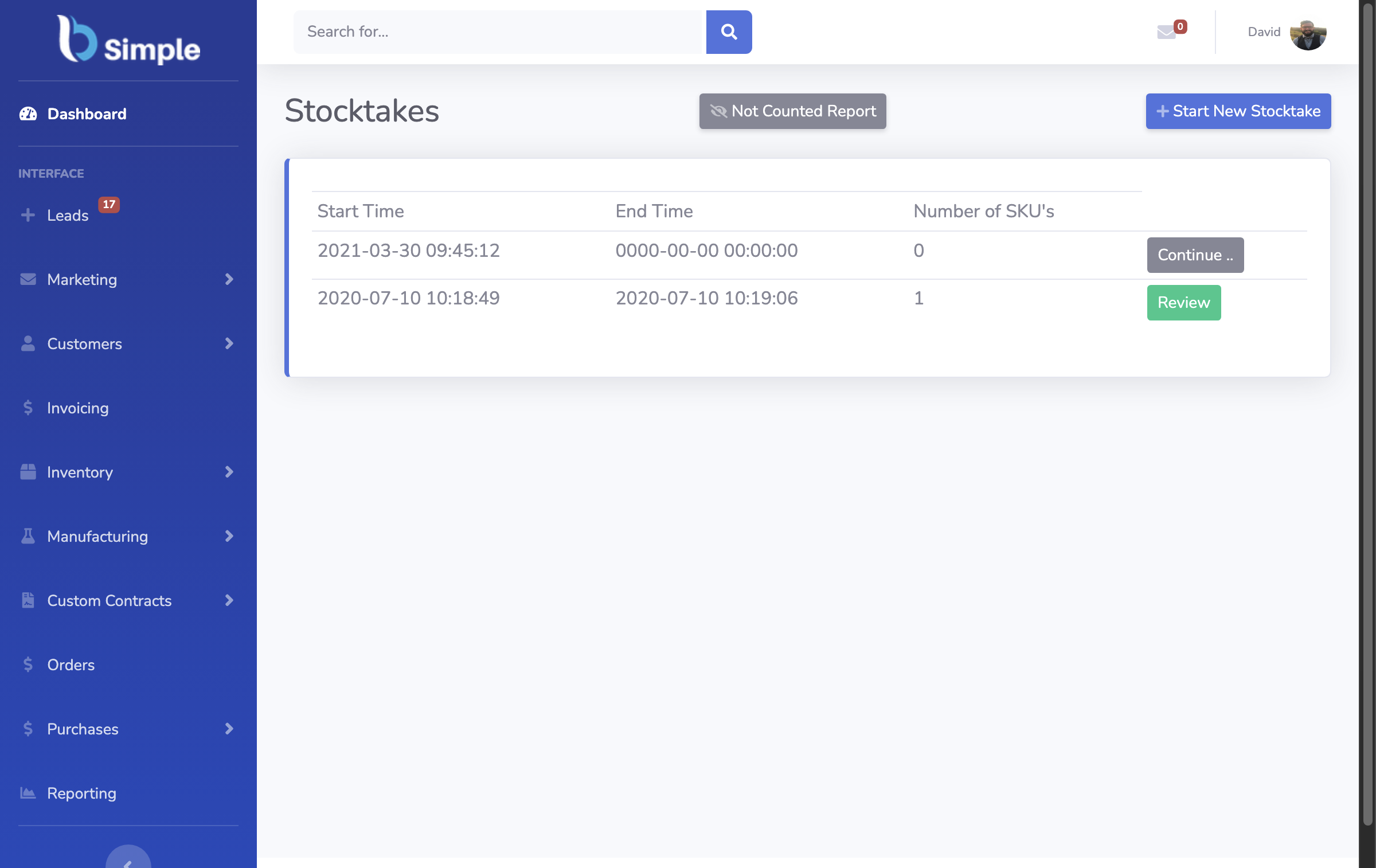
A scanner turns counting from a shutdown into a walk: point, scan, move on — then review variances while the trail is fresh. Here is the workflow, phone included.
The short answer
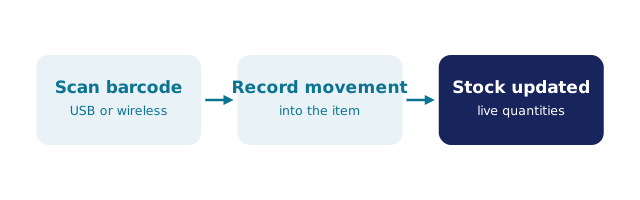
- The walk: open the stocktake, scan each item, enter quantities — the record counts as you move.
- The review: variances surface line by line, explained from the movement history before anything is adjusted.
- The hardware: a phone browser camera — no dedicated terminals; a wedge covers the desk.
- The habit: cycle counts in slices weekly beat one annual count that discovers everything.
- BSimple runs stocktakes from any phone browser — included from $180/month (AUD).
- Where it fits: this page zooms into one part of barcode inventory management.
- 01The short answer
- 02The workflow, start to finish
- 03Where BSimple fits
The workflow, start to finish
Plan the slice: one aisle, one category, one van — a stocktake does not have to mean the whole building at once. Walk and scan: open the count in the system, scan each item, key the quantity beside it; misread SKUs and skipped lines — the human-error tax of the clipboard count — largely disappear because nothing is typed from memory. Review the variances: the count compares against what the record believed, and each disagreement shows with its recent history — a mis-shelved receipt, an adjustment without a note. Explain, then adjust: the count is an audit, not a reset; adjustments happen after explanations, so the record keeps its story.
That last step is the half most counting workflows skip, and it is what turns a stocktake from discovery into defence: every variance either has a cause or has found a leak. The scanning practice guide covers the receive and pick scans that keep the pre-count record honest, and the worked warehouse flows show counting inside the wider loop.
Where BSimple fits
We build BSimple, so weigh that. Stocktakes run from any phone browser — open the count, walk the slice, scan with the camera, review variances with their history, adjust with an explanation. Cycle counts in slices mean the annual EOFY count becomes confirmation of a record that was already true, and two staff can count different aisles at once because the record is shared and live. Plans start at $180/month (AUD), and the free trial counts one real aisle before anything is paid.
The boundary: BSimple counts inventory you trade — not a fixed-asset register, and not RFID-only workflows. The mobile scanning guide covers the phone-as-terminal question, stocktake software covers the wider discipline of cycle counts and EOFY counts, and the inventory management overview shows the record the counts defend.
Frequently Asked Questions
Do we need special scanners for a stocktake?
No — phone cameras scan barcodes and QRs through the browser, which covers aisles, yards and vans. A USB wedge helps at a bench, and dedicated terminals only earn their cost at volumes most businesses never count. Start with the phones in pockets.
Can two people count at the same time?
Yes — each phone is an independent input to the shared count, so two staff can split an aisle or take two sections without colliding. The variance review sees one combined count, which is one of the practical dividends of a live record over a file.
How do cycle counts replace the annual stocktake?
In slices: count a section each week on a rolling plan so everything is covered each cycle. The record stays continuously honest, EOFY becomes confirmation rather than a shutdown, and variances surface while the movement history is still fresh enough to explain them.
What do we do about unbarcoded items?
Count them manually in the same stocktake — the record updates either way — and label progressively from there. A mixed count is a normal phase, not a failure; waiting for a complete labelling project before counting is how the drift compounds.

BSimple