
Guide / the sales order chain
Sales order processing for small business
A sales order is a promise with paperwork: it commits stock, sets a delivery date and becomes an invoice. Here is what the chain needs from software — and where it snaps.
The short answer
- The chain: quote or order taken → sales order against live stock → picked and packed → invoiced → payment mirrored.
- Where it snaps: stock promised twice, orders transcribed between tools, partial shipments mis-invoiced, dates promised from memory.
- Small-business essentials: per-customer pricing, a portal for repeat buyers, and the invoice pushed to the ledger clean.
- BSimple runs the chain on one record — from $180/month (AUD) with a free trial.
- Where it fits: this page is one step of the order management walkthrough.
- 01The short answer
- 02The chain, link by link
- 03Where BSimple fits
The chain, link by link
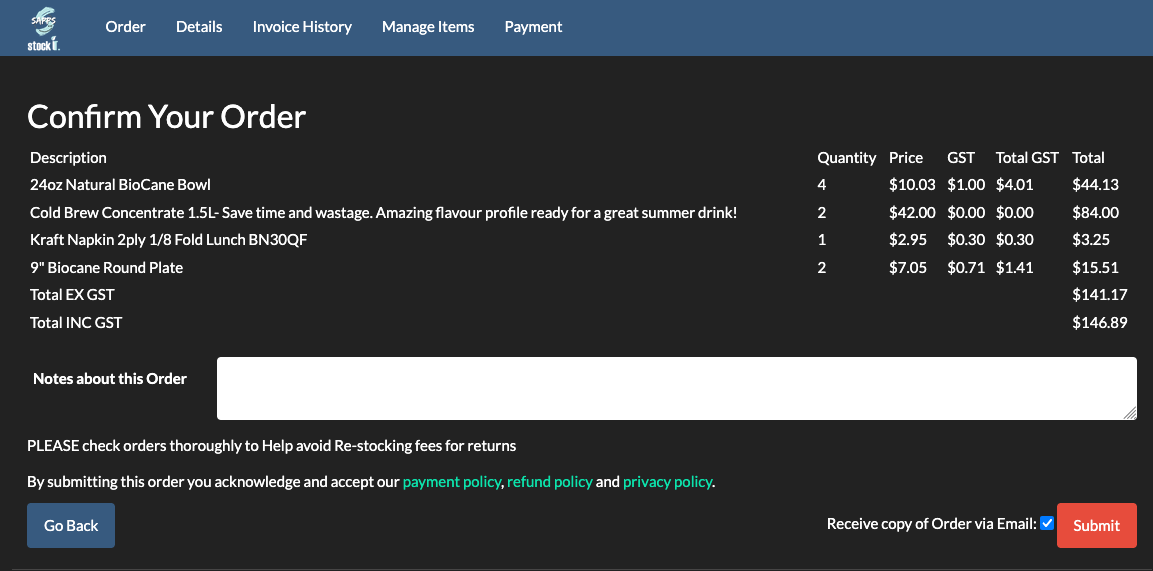
Capture — the sales order enters once, from the portal or the desk. Repeat buyers should order themselves: a portal with per-customer product lists and pricing removes the transcription step entirely. Commit — the order allocates from live quantities at the moment it is taken; the promise is real or it is refused, which is the difference between a sales order and a wish. Fulfil — picking and packing run against the order; a partial shipment is a state the document holds, not a conversation to remember. Bill — the invoice is generated from what shipped and pushed to Xero or MYOB on approval, GST detail intact. Close — payment status mirrors back, and the order is finished rather than assumed finished.
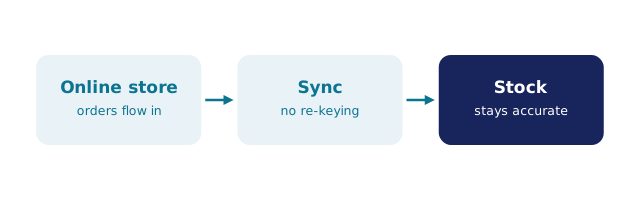
Each link fails the same way: by being a copy. The quote in email, the order in one tool, the pick list in another, the invoice typed into the ledger — every hand-off is a chance to promise twice, ship short, or bill wrong. The order processing flow covers the steps in detail, and what order management covers the discipline around them.
Where BSimple fits
We build BSimple, so weigh that. The chain runs on one record: the customer ordering portal gives each account their own products and pricing through a unique secret link — no passwords — and orders land allocated against live multi-location stock. Picking and packing carry the same numbers to the shipping door; partial shipments invoice what shipped; approved invoices push to Xero or MYOB with payment status mirroring back; shortfalls become purchase orders without a hand-copy. Plans start at $180/month (AUD), and the free trial runs one of your own orders through every link.
For the surrounding choice — which category, which tool — the order systems list groups the market honestly, and the vendor guide turns the chain into a trial script.
Frequently Asked Questions
What is the difference between a quote, a sales order and an invoice?
The quote is an offer, the sales order is a commitment against stock, the invoice is the bill for what shipped. Software earns its keep when one document flows into the next on the same record — not three documents typed three times into three tools.
How do we stop promising stock we have already sold?
Allocation at order time: the sales order reserves units from live quantities, so the next order sees the reduced availability. If your current tool lets two orders promise the same units, it is a list, not a sales order system.
Can trade customers see their own pricing?
In BSimple, yes — each portal customer sees their own product list and pricing through their unique link, and orders arrive allocated. The desk stops being a pricing switchboard, and the customer stops waiting for a call back.
What does sales order software cost a small business?
BSimple starts at $180/month (AUD) with the full chain — portal, allocation, picking, invoicing, the ledger handoff — included alongside the stock record. The comparison worth pricing is the errors the chain removes, not the licence line alone.

BSimple