
Guide / the order flow
Order processing for small business: the flow that pays
Order processing is five steps between "yes" and "paid": capture, allocate, pick, invoice, status. Here is what each step needs from software — and what usually breaks.
The short answer
- The five steps: capture the order → allocate against stock → pick and pack → invoice → report status.
- What breaks: orders captured outside the record, allocation from stale numbers, invoicing that re-keys, status nobody can answer.
- The fix is one record under all five steps — not five tools stitched together.
- BSimple runs the flow — including a portal so capture happens without you — from $180/month (AUD).
- 01The short answer
- 02The five steps, and where each one fails
- 03Where BSimple fits
The five steps, and where each one fails
Capture. The order enters the record exactly once — from the customer portal, the phone, or the counter — not transcribed from email into a tool later. The failure is capture lag: the order exists in an inbox hours before it exists in stock's world. Allocate. The order takes units from live quantities immediately; the failure is promising from last week's numbers — the classic small-business oversell. Pick and pack. The floor works against the order, with packing slips that carry the same numbers; the failure is the pick list printed from a spreadsheet that allocation already contradicted. Invoice. The invoice is generated from what shipped — partial shipments invoice what went — and pushes to Xero or MYOB on approval; the failure is re-keying, with its transposed digits and missing GST detail. Status. Anyone can answer "where is my order?" from the record; the failure is the status living in the head of whoever typed the order.
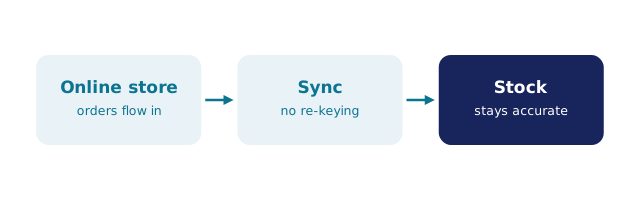
Notice the pattern: every failure is a seam between copies. Order processing software exists to remove the seams, which is why what order management software covers and the processing workflow describe the same destination.
Where BSimple fits
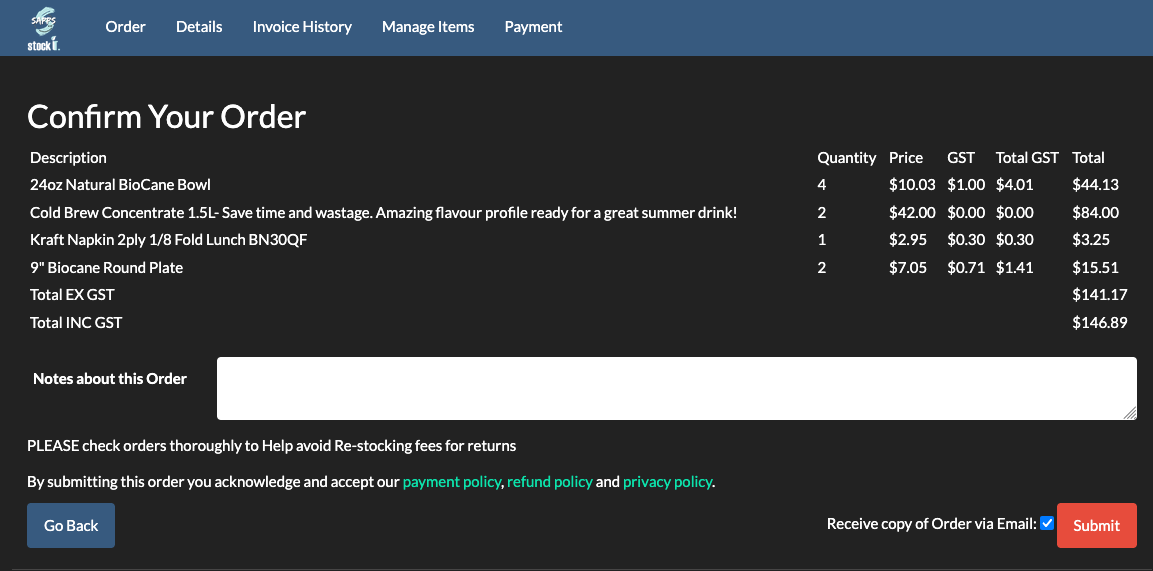
We build BSimple, so weigh that. The five steps run on one record: capture through a customer ordering portal (each customer sees their own product list and pricing through a unique link — no passwords), allocation from live multi-location stock, pick and pack with delivery slips, invoicing with approval that pushes to Xero or MYOB, and statuses — including payment status mirrored back from the ledger. Purchasing closes the loop: shortfalls become purchase orders. Plans start at $180/month (AUD), and the free trial runs one real order through all five steps.
For small businesses below this stage, the spreadsheet order book remains an honest start — the order book guide builds it properly. The systems list maps the alternatives when the seams start costing.
Frequently Asked Questions
What is the difference between order processing and order management?
Two names for one flow, mostly. If a line helps: processing is the steps (capture to status), management is the discipline around them — allocation rules, exceptions, purchasing links. Software worth buying runs the steps and enforces the discipline on the same record.
Can customers place their own orders?
In BSimple, yes — the portal gives each customer their own product list and pricing through a unique secret link, no passwords. Orders land in the same record the warehouse picks from, which removes capture lag and transcription errors in one move.
How are partial shipments handled?
Pick what shipped, invoice what shipped, and the order shows the remainder — the same record holding all three views. Partial shipments are the standard stress test for any processing software: the vendor guide lists them among the exceptions to demand in a demo.
What does order processing software cost a small business?
BSimple starts at $180/month (AUD) with the whole flow — portal, allocation, pick and pack, invoicing, statuses, purchasing — included. Free tools cover single steps; the five steps on one record is the product, and the honest comparison is against the hours the seams cost today.

BSimple