
Guide / scanning support
Inventory software with a scanner: what matters
Every inventory system claims scanning. The differences that matter are where scans land, what hardware they demand, and whether the record stays live. Here is the honest checklist.
The short answer
- Scanning is input; the record is the product. A scan is only as good as what the software does with it.
- The moments that pay: receiving against purchase orders, picking against orders, counting stocktakes, tracing batches.
- Hardware should not gate the workflow: BSimple scans through any phone browser camera; keyboard-wedge scanners work at the bench.
- Included, not an add-on: scanning is part of every BSimple plan, from $180/month (AUD).
- 01The short answer
- 02Judge the landing, not the laser
- 03The hardware question, answered honestly
- 04Where BSimple fits
Judge the landing, not the laser
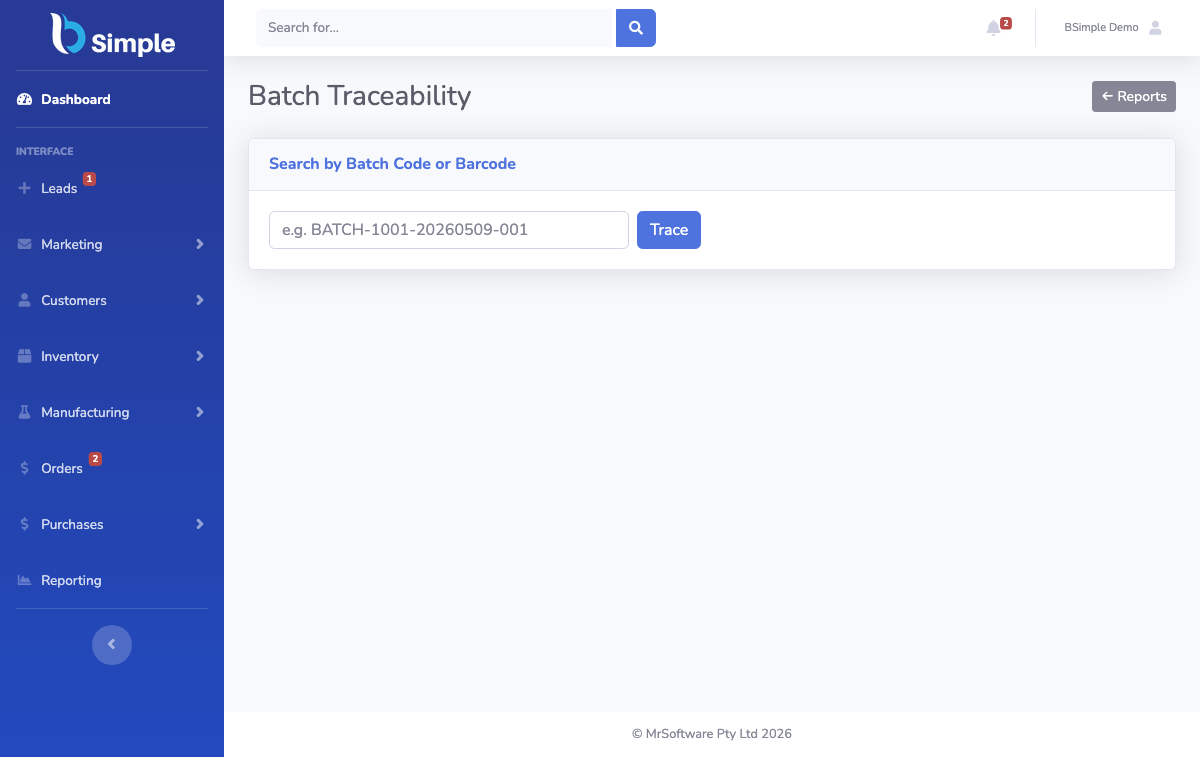
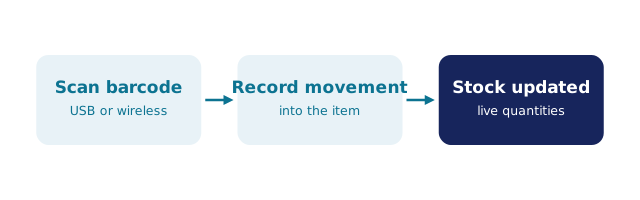
Claims about scanning usually describe the hardware read — 1D, 2D, QR. All modern readers handle all common codes, so the read is rarely the differentiator. What separates systems is where the scan lands. In a serious system, a scan opens the document it belongs to: scanning during receiving lands on the purchase order being received; scanning during picking lands on the order being packed; scanning during a count lands on the stocktake line. The scan writes a movement to the live record — attributed, timestamped, document-linked.
In a shallow system, the scan fills a search box or updates a list that syncs to stock "later". The laser is identical; the outcome is not. That is the demo question: not "does it scan?" but "scan this carton into this purchase order and show me the quantity and the trail afterwards". Barcode inventory management covers the practice this sits inside.
The hardware question, answered honestly
The right hardware is the one your team already carries. BSimple scans through the camera of any modern phone browser, which covers the floor — receiving in the loading bay, counting in the aisles — with nothing to provision, charge or update. Where volume concentrates at a bench, a USB keyboard-wedge scanner is faster and cheaper than any handheld terminal; it types into the same fields.
Dedicated handheld terminals earn their place at a scale most SMEs never reach: enterprise scanning budgets, rugged environments, or automation-adjacent workflows. Starting there — before the workflow exists — is the standard way scanning projects stall. Phone first, wedge where useful, terminals only when the operation genuinely outgrows both.
Where BSimple fits
We build BSimple, so weigh that. Scanning is native and included: receive against purchase orders, pick and pack against orders, run stocktakes and cycle counts, and trace batches and lots with use-by dates — every scan writing to the same live record that ordering, purchasing and invoicing read from, from any phone browser or wedged scanner. Plans start at $180/month (AUD), and the free trial is where the first scan proves the loop with your own stock.
For the surrounding decisions: the how-to guide walks the four scanning moments, the setup guide orders the first week, and the barcode generator question separates scanning from label printing.
Frequently Asked Questions
Does BSimple need dedicated scanner hardware?
No. Scanning runs through the camera of any modern phone browser, so the floor is covered by devices staff already own. A keyboard-wedge scanner is an optional speed-up at the desk. Dedicated terminals are supported only in the sense that any input device is — they are not required.
What happens to the record when a scan happens?
It writes a movement: quantities update immediately, the movement is attributed to the user and the moment, and it links to the document in play — purchase order, order or stocktake. The live record is the same one ordering and purchasing read from, so there is no sync lag to forgive.
Can two people scan at the same time?
Yes. Each phone is an independent input to the shared record, so two staff can receive one delivery or count one stocktake in parallel without conflict. That is the practical dividend of a live record over any file-based list.
Does scanning work for batch and expiry tracking?
When batches carry codes, scans identify the lot, not just the product — which is what makes use-by tracking and recall searches practical. BSimple records batch and lot detail with expiry dates and searches traceability in both directions, from supplier lot to customer and back.

BSimple