
Guide / barcodes and labels
Do you need a barcode generator in your inventory software?
A generator creates the codes; the inventory system is what makes scanning worth doing. Here is how the two halves fit together, and where BSimple starts and stops.
The short answer
- A barcode generator prints codes — for products, shelves or batches that do not already carry one.
- An inventory system consumes them — turning every scan into a stock movement with a timestamp and a document behind it.
- Most products already have codes. Supplier barcodes (EAN/UPC style) cover the majority of wholesale and retail stock, so generating labels is often the smaller half of the job.
- BSimple handles the scanning half: camera scanning through any phone browser, keyboard-wedge scanners, and every scan landing on a live stock record. Label design and printing are done in whatever labelling tool you already use.
- 01The short answer
- 02What the generator half does
- 03What the inventory half does with every scan
- 04Where BSimple fits
What the generator half does
Generating a barcode is the easy part: any number of free tools will turn a SKU into a scannable image, and proper labelling software will batch-print shelf tags or product labels. The decisions that actually matter sit around it — which numbering scheme your internal codes follow, whether batches carry their own codes with use-by dates, and who reprints a label when a supplier changes packaging.
If your stock arrives from suppliers, most of it is already barcoded, and the honest question is not "can the software generate codes?" but "can it use the codes that exist?". Generating your own labels earns its place for made-to-order goods, repacked items, and internal locations — bins, racks and rooms that no supplier will ever pre-code for you.
What the inventory half does with every scan
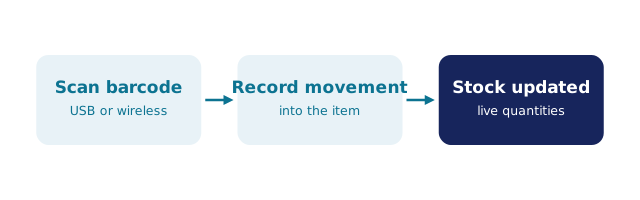
The scan only pays for itself if it lands somewhere real. In BSimple, a scan is an entry into a live record: receiving counts stock in against the purchase order it arrived on, picking allocates it to the order being packed, and a stocktake scan reconciles the count against what the system believes. Each scan stamps the movement at the moment it happens, from any phone browser — no dedicated handheld hardware required, though keyboard-wedge scanners work at a desk.
That is the difference between scanning as a gimmick and scanning as a record. A code that opens a PDF tells you nothing; a code that updates quantities and leaves a traceable movement means the number you see is the number on the shelf. Barcode inventory management covers the practice in depth, and the tracking-with-scanning guide shows the movement trail scans leave behind, and scanning in inventory software is the broader practice guide.
Where BSimple fits
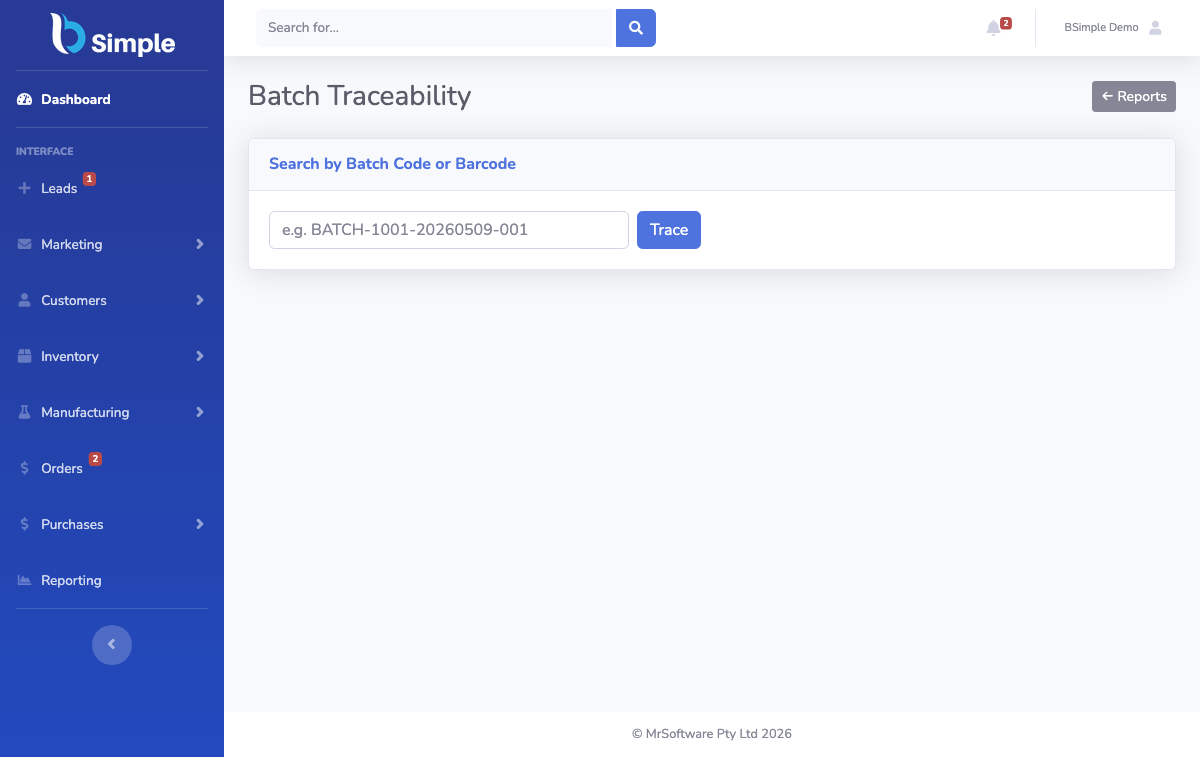
We build BSimple, so weigh that. The scanning half is native: scan through a phone camera or a wedged scanner to receive, pick, count and trace — including batch and lot tracking with use-by dates and a traceability search that can follow a lot from supplier to customer. The generator half we leave to the labelling tools that do it properly; BSimple works with the codes already on your stock and the internal ones you print.
If your barcode project is really about knowing what you have and what moved, that is the job BSimple does from $180/month (AUD), with a free trial to test against your own shelves. If it is primarily about printing label runs, a labelling package remains the right first tool — the two are not competitors.
Frequently Asked Questions
Does BSimple print barcode labels?
No — label design and printing are not part of BSimple. It scans the codes: supplier barcodes on incoming stock and any internal codes you print with a labelling tool. The division is deliberate; the inventory system is where scans become stock movements, not where artwork gets laid out.
Do I have to barcode everything before starting?
No. Stock that arrives pre-barcoded from suppliers scans from day one. Internal codes can be added progressively — start with fast movers, high-value lines or the bins that cause count disputes. Waiting for a complete labelling project before scanning anything is the most common way barcode projects stall.
Can I scan with a phone, or do I need dedicated scanners?
A phone works: BSimple scans through the browser camera on any modern phone, which usually covers the floor. Dedicated keyboard-wedge scanners are supported too and are faster at a packing desk. Most teams mix both rather than standardising on either.
How do barcodes and batch tracking work together?
When batches carry their own codes, a scan can identify not just the product but the lot — which is what makes expiry tracking and recalls practical. BSimple records batch and lot detail with use-by dates and can search traceability in both directions: from a customer complaint back to the supplier lot, or from a lot forward to everyone who received it.
BSimple