
Guide / stock management
What does "best" stock management software mean for a small business?
For a small business, best means the system your team actually keeps updated — live quantities, purchase orders that reflect demand, and accounting that reconciles itself.
The facts about stock management for small business
- "Stock management" is keeping the record true: what you have, what is promised to customers, and what is on order.
- The failure it fixes is overselling — selling stock that was already gone, or not knowing until the customer is waiting.
- Four capabilities decide everything: live quantities, reorder levels, purchase orders from demand, and accounting handoff.
- Spreadsheets are the starting line, not a scandal — they break when a second person or a second location arrives.
- BSimple is built for wholesale, manufacturing, distribution and trade SMBs: one record across stock, orders, purchasing and invoicing, with Xero and MYOB handoff.
- Plans start at $180/month (AUD) with a free trial.
- 01The facts about stock management for small business
- 02The four capabilities that separate best from rest
- 03The spreadsheet exit signs
- 04How to run the comparison in one afternoon
- 05Where BSimple fits — and where it does not
The four capabilities that separate best from rest
Live quantities. The count updates at the moment of sale and the moment stock is received — not after someone edits a sheet at night. Everything else depends on this.
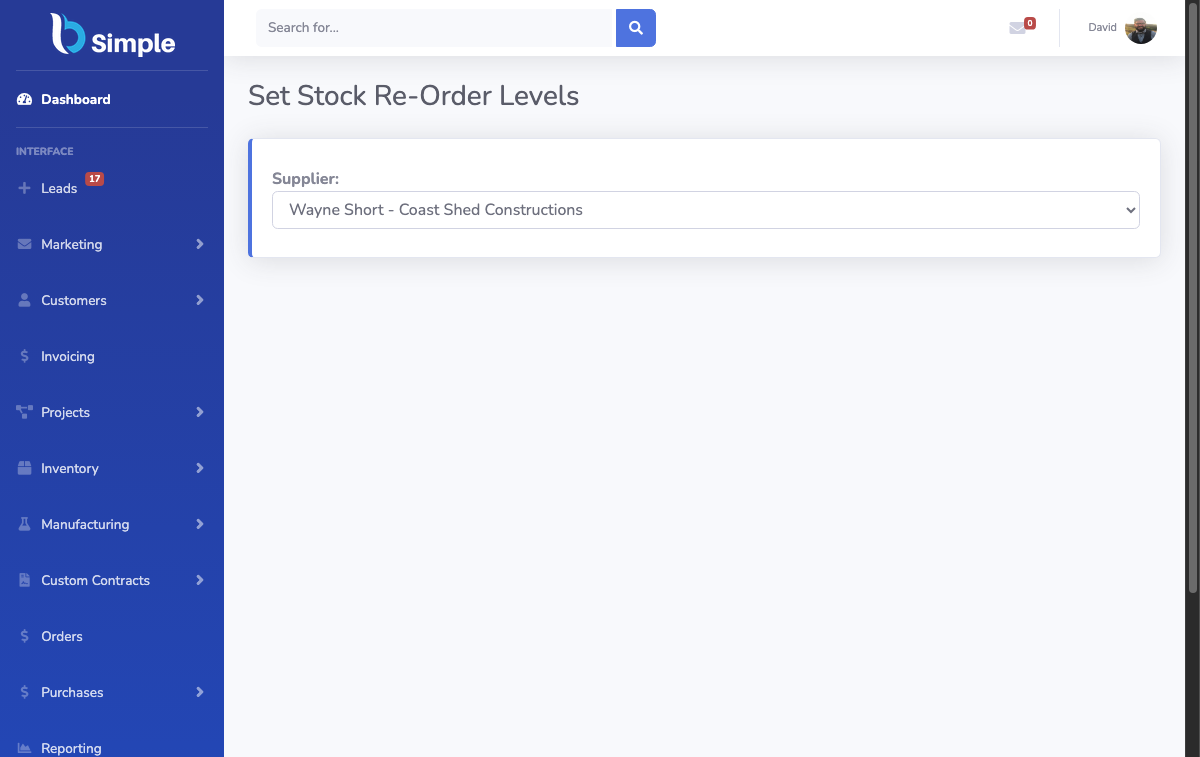
Reorder levels. You set a minimum per product; the system flags or raises what needs buying before you run out. BSimple's reorder and par levels work across locations, including multi-level stock like boxes and inner cases.
Purchase orders from demand. Buying driven by what stock is actually short — and receipts that update the record when goods arrive — instead of a reply-all email to a supplier.
Accounting handoff. Invoices push to Xero or MYOB and payment status mirrors back. When stock and accounting disagree, someone spends a day finding out why; good software makes that disagreement impossible.
A tool missing any of the four will eventually cost you a customer or a weekend. That is the honest test of "best" — not the length of the feature grid.
The spreadsheet exit signs
Small businesses rarely leave spreadsheets too early; they leave too late. The exit signs are consistent: two people editing the same sheet and losing changes, quantities that are only corrected at a stocktake, purchase orders living in someone's inbox, and customers phoning to ask what they ordered last month because no one can see it either. If one of those is already happening weekly, the switch has a payback.
If none are, stay put — our honest look at whether inventory software suits small businesses walks that decision, and the free and basic tools guide covers what a low-cost start looks like. The cost of moving early is small; the cost of moving after a bad EOFY is not.

How to run the comparison in one afternoon
Take your ten fastest-moving products into a free trial and run the loop: receive stock against a purchase order, sell it through an order, watch the invoice reach your accounting system, then check that every quantity reconciled on the way. A trial of BSimple is built for this — load your real products, not demo data, because the fit that matters is with your workflow.
While comparing, ignore anything that cannot show you the four capabilities above on your own data. The inventory tracking comparison guide applies the same logic to tracking specifically, and this explainer on what an inventory system actually does fills in the vocabulary if you are new to the category.
Where BSimple fits — and where it does not
We build BSimple, so weigh that. It is the right size for small-to-medium wholesalers, manufacturers, distributors and trade businesses that need stock, orders, purchasing, invoicing and a customer ordering portal on one record, with accounting handed off to Xero or MYOB. Stocktakes — EOFY and rolling cycle counts — and batch tracking with expiry are included, not add-ons.
It is deliberately not an ERP: no MRP scheduling and no HR or payroll inside the system. If you need those, a bigger suite is the honest answer. If you need the stock record to be true and the paperwork to stop being retyped, the four capabilities above are exactly what the product was built to do.

Frequently Asked Questions
What is the best stock management software for a very small business?
Honestly assess your volume first: a spreadsheet is genuinely fine for one person with a few hundred lines. The moment two people need the same record, or stock is promised before it is invoiced, move to a system with live quantities and accounting handoff — those two features prevent most of the expensive failures.
How much does stock management software cost a small business?
SMB systems publish prices; BSimple starts at $180/month (AUD) with all inventory features included and no per-user module fees. Judge price against the failure modes: one oversold order or one bad EOFY stocktake usually costs more than a year of software.
Does stock management software do the accounting too?
No, and that is the right design. Stock software keeps operations accurate and hands invoices to your accounting system — Xero or MYOB with BSimple — where compliance lives. Payment status mirrors back so both sides agree without double entry.
Can stock management software handle stocktakes without shutting the business?
Yes. Besides EOFY stocktakes, BSimple supports cycle counts — counting one section at a time on a rolling basis — so the record stays honest without a full shutdown. Batch tracking with expiry and traceability search covers businesses where lot numbers matter.
Is stock management different from inventory management?
The words are used interchangeably by most small businesses, and the tools overlap heavily. "Stock management" usually means keeping the record of goods on hand; "inventory management" adds purchasing, valuation and movement across locations. Systems like BSimple treat them as one record rather than two problems.
BSimple