
Guide / the software shelf
Small business software solutions, by job
The category is a shelf, not a product. The useful version of this page sorts software by the job it does — books, operations, customers, marketing — so you can see which layer your business is missing before spending on any of it.
The key facts
- Four layers cover most shelves: accounting (the books), operations (the record), customer tools (reach and retention), and the workspace (documents, chat, files).
- The order matters: operations before marketing — a business that cannot fulfil reliably should not buy reach.
- All-in-one claims are mostly layer swaps: suites do one or two layers well and partner for the rest.
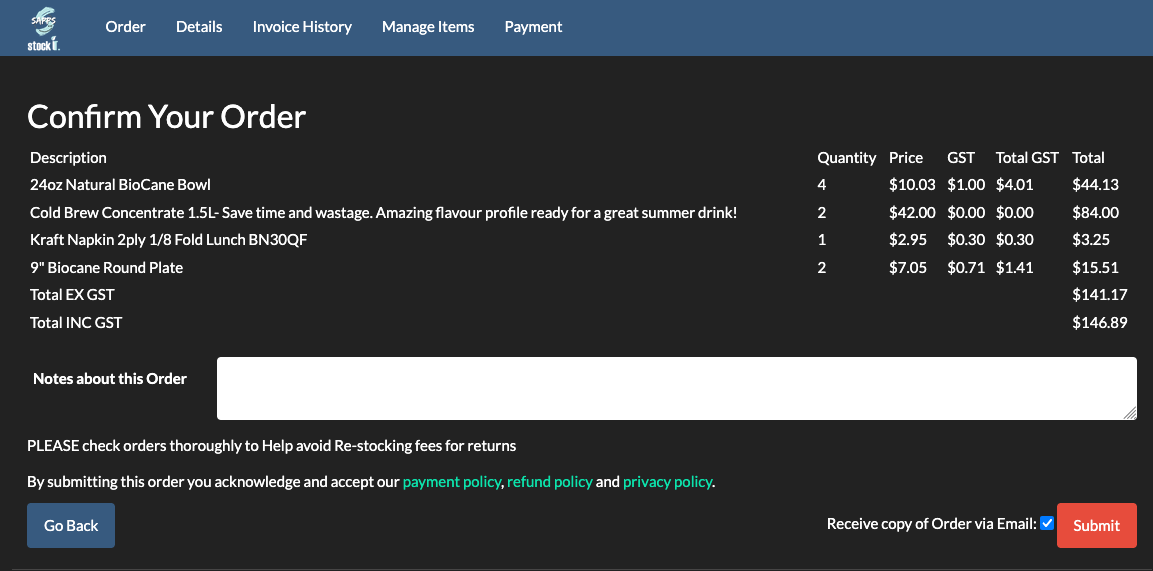
- BSimple is the operations layer: inventory, orders, purchasing, invoicing and customer portals on one record — not the books, not the marketing.
- The wider system: inventory management end to end maps the whole record this page sits in.
- 01The key facts
- 02The four layers, sorted by job
- 03The order to buy them in
- 04Where BSimple fits the shelf
The four layers, sorted by job
The books — accounting software records transactions, handles tax and produces the figures your accountant files from. In Australia that usually means Xero or MYOB; it is typically the first paid software a business adopts and correctly so. Operations — the record of what you hold, what is promised, what you bought and what you invoiced: inventory, purchasing, orders, fulfilment. This is where stock-carrying businesses live or die, and where spreadsheets stop scaling first. Customers — CRM for pursuit, email and SMS for retention, support inboxes for service. The workspace — email, documents, chat; solved problems with good defaults.
The layers talk to each other at their edges — invoices flow from operations to the books, customers flow between records — which is why integrations matter more than feature counts: each boundary is a place where work and errors enter.
The order to buy them in
Buy in the order your failures cost money. For most businesses the books come first (compliance is not optional), then operations — and this is the step small businesses delay longest, because spreadsheets absorb the pain invisibly until it is large: oversells, re-keying, stocktakes that surprise everyone, month-end reconstructions. Customer and marketing tools come after the operation can fulfil what they generate — buying reach before reliability converts marketing spend into disappointed customers.
All-in-one suites sell themselves on skipping the sequencing. The honest read: suites bundle layers, but depth varies wildly between layers, and businesses that buy the bundle for one strong layer often keep their old tools for the layer they actually needed. Judge each layer on the job, not the bundle.
Where BSimple fits the shelf
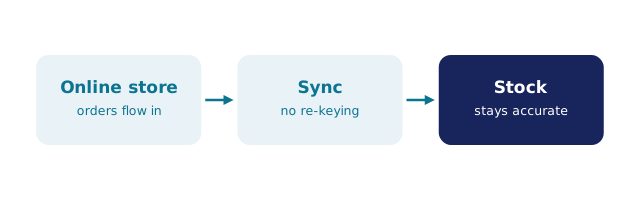
We build BSimple, so weigh that. It is the operations layer for wholesale, manufacturing, distribution and trade businesses: live quantities across locations, multi-level stock, batch and expiry tracking, purchase orders raised from demand, orders from the customer portal moving through pick and pack to approved invoices, and the handoff to the books — invoices push to Xero or MYOB with payment status mirroring back (US accounting integrations rolling out). It deliberately does not do the books, HR, payroll or marketing, and the audit trail sits behind everything. Plans run $180/$250/$399 per month AUD with every feature in the core plans.
If your business carries stock and the spreadsheet is where the pain collects, that is the layer to fix first, and the trial tests it on your real products in an afternoon. For the wider category view, what business management software is and the list of business management software types map the same shelf in more detail, and apps for business management covers the mobile angle.
Frequently Asked Questions
What software does a small business actually need?
In order: the books (accounting), then operations if you carry stock or take orders daily, then customer tools, then whatever workspace you like. Everything beyond that is elective — judge it by the failure it removes.
Is BSimple an all-in-one solution?
No, and the boundary is deliberate: BSimple is the operations layer — stock, orders, purchasing, invoicing, portals — with accounting left to Xero or MYOB and no HR, payroll or marketing. Depth in one layer beats shallow coverage of four.
Why not just buy one suite that does everything?
Suites are legitimate, but each layer has a different leader and bundles rarely lead in all of them. The honest comparison is per layer: does the suite's inventory beat a dedicated record? Often the answer decides the whole purchase.
How do we know the operations layer is our gap?
The symptoms are specific: overselling, quantities only trusted after a count, orders re-keyed between email and invoice, month-end surprises. If two or more are familiar, that layer needs work before any other.
What does BSimple cost?
Starter $180, Professional $250 and Organisation $399 per month (AUD), every feature in the core plans, with a full-product free trial — judged on your own products, not a demo.

BSimple