
Guide / operations in practice
Operations management tools, by daily operation
Feature lists hide what operations tools do; the daily operations they run show it. Five examples — receiving, selling, replenishing, producing, servicing — with what the tool must do at each, and BSimple as the worked case.
The key facts
- The five daily operations: receiving, selling, replenishing, producing, servicing — every operations tool is judged on these.
- The common requirement: one record — every operation reads and writes the same quantities, orders and history.
- The common failure: tools that cover one operation but leave the others to spreadsheets, which is how reconciliation jobs are born.
- BSimple as the worked example: all five on one record, from $180/month AUD — with the boundaries (no MRP, no HR) stated rather than blurred.
- The full picture: how the inventory record works is the hub page for everything above.
- 01The key facts
- 02Operations 1 and 2 — receiving and selling
- 03Operations 3, 4 and 5 — replenishing, producing, servicing
- 04BSimple as the worked example — and its edges
Operations 1 and 2 — receiving and selling
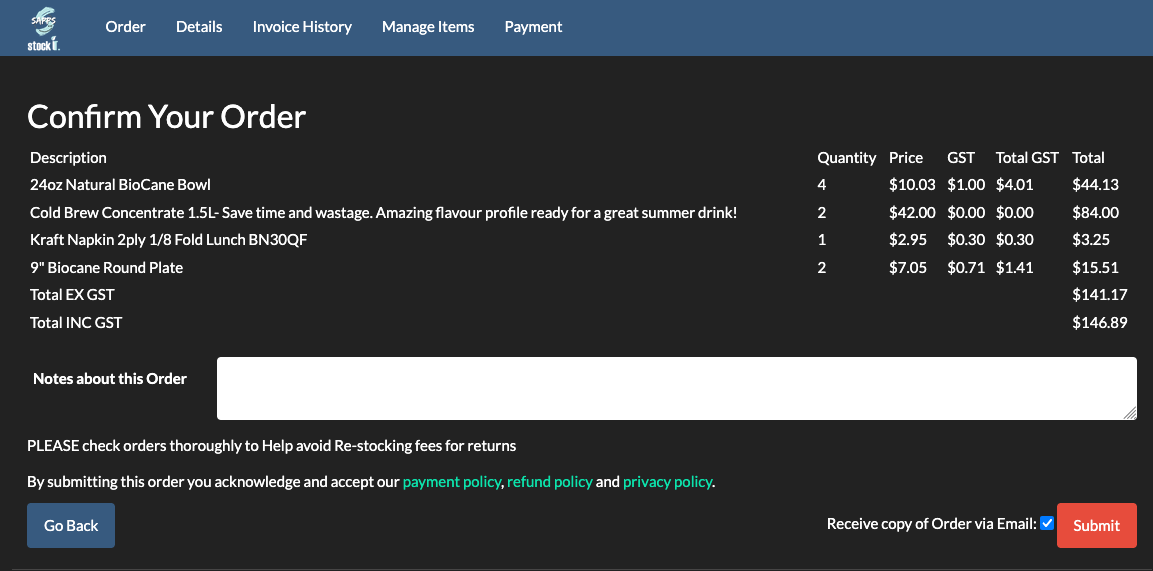
Receiving is where accuracy enters the record: a purchase order exists, a delivery arrives, and the tool must update quantities against the order — catching short deliveries and price variances at the dock, not at month-end. Scan-based receiving makes it fast; the purchase order linkage makes it honest. Selling is where accuracy leaves it: every channel — portal, phone, online store — commits against the same live quantities, and the order carries its own history from placement to dispatch. The tool that fails here is the one that syncs overnight; the failure is overselling, and the customer finds it before you do.
In BSimple these two are the same record: goods receipts update quantities the truck unloaded, and orders deduct on approval — no reconciliation meeting between them.
Operations 3, 4 and 5 — replenishing, producing, servicing
Replenishing: reorder levels raise purchase orders from real demand; the buyer's job shifts from remembering to reviewing. Producing: recipes (multi-level bills of materials) drive production runs with shortage checks, converting raw stock into finished batches with use-by dates — and traceability keeps the "which lots went in, where did they go" answers permanent. Servicing: field and trade work reserves parts against a job without consuming them, consumes on invoice, and keeps the asset's service history against the customer afterwards.
Across all five, the requirement is structural: one record, every operation reading and writing it, the audit trail behind every change. Tools that cover one operation well but leave the others to spreadsheets create the reconciliation jobs that eat the afternoon. The operations management tools list and management software, sorted by type place these operations in the wider category map.
BSimple as the worked example — and its edges
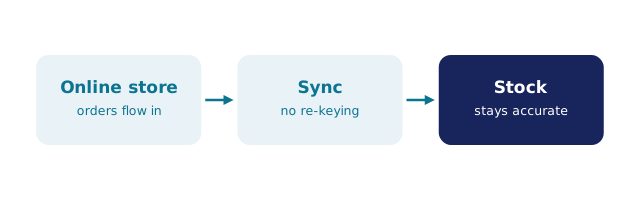
We build BSimple, so weigh that. The five operations above run on one record: receiving and selling as described, purchasing from demand, recipes and production runs with mass-balance reporting used by organic-certified producers, and projects for trade and field work — from $180/month AUD with everything in the core plans, browser-based so any device on the floor can reach it. The accounting handoff to Xero or MYOB closes the loop; US accounting integrations are rolling out.
The edges, stated plainly: no MRP scheduling (production planning across constraints is ERP territory), no HR or payroll, no counter POS, and no built-in storefront — Shopify imports by webhook into the same flow. What a factory needs shows the production operation in depth, field and trade work the servicing one, and the trial runs your own products through all five operations in an afternoon.
Frequently Asked Questions
What are examples of operations management tools?
Tools that run the daily operations — receiving, selling, replenishing, producing, servicing — against one record: inventory and business management systems, purchasing tools, production systems, job and field service tools. BSimple covers the first four plus trade servicing on one record.
What separates a good operations tool from a bad one?
Whether all operations share one record. A tool that receives well but syncs sales overnight, or sells well but leaves purchasing to memory, creates the reconciliation work that operations management was supposed to remove.
Do small businesses need all five operations covered?
They need the ones they perform. Most stock-carrying businesses perform receiving, selling and replenishing daily; producing and servicing follow the business model. Buy for the operations you run — the trial shows which those are on your real products.
Is BSimple an operations management tool?
Yes — that is its category: one record for inventory, orders, purchasing, invoicing and production on the wholesale/manufacturing side, with stated boundaries (no MRP, no HR, no POS).
How do we test a tool against our operations?
Run each daily operation once on real data — receive an order, sell a unit, trigger a reorder, run a batch or a job. The trial exists for exactly this; an hour of your own operations beats a week of demos.

BSimple