
Guide / QR codes and records
Inventory software with QR codes: where they earn their place
A QR code is not a fancier barcode — it carries different information and answers different questions. Here are the uses that pay, and the ones that are decoration.
The short answer
- A barcode identifies a product; a QR can carry a destination — a record, a batch history, a location.
- The three uses that pay: location labels (scan the bin, see its stock), batch and asset links (scan the unit, open its history), and self-resolving records for phone-first teams.
- The decorative uses to skip: QRs that open a PDF, a marketing page, or anything that is not the record.
- BSimple reads QRs through any phone browser camera — included from $180/month (AUD).
- 01The short answer
- 02What a QR actually adds
- 03Where BSimple fits
What a QR actually adds
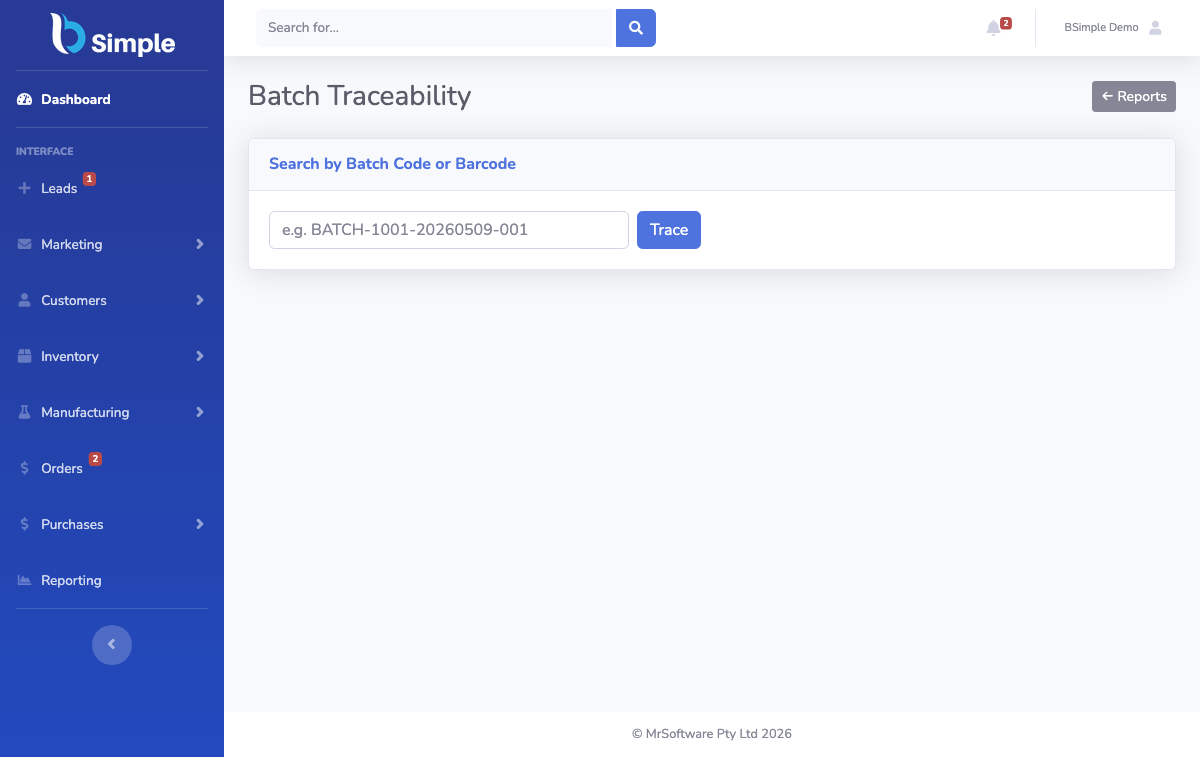
A 1D barcode carries a short identifier — enough to look up a product, useless for anything richer. A QR carries hundreds of characters, which changes what the code can be: not just a name tag but an address. Three uses follow, honestly worth doing. Location codes: a QR on every bin, rack, van and cold room — scanning it opens that location's stock, which makes putting away and counting a one-scan habit instead of a navigation exercise. Batch and asset links: a QR on the unit or lot that resolves to its history — where it came from, where it went, its use-by date — the traceability question answered at the shelf. Record links for phone teams: any record a URL can address becomes scannable, which suits a browser-first system.
The decorative version — QRs that open PDFs, brochures or links to a website that is not the record — fails the only test that matters: the scan should change what you know or what the record says. Barcode inventory management covers the wider practice, and the barcode-types guide compares the code families.
Where BSimple fits
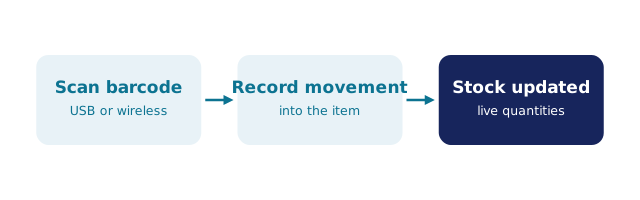
We build BSimple, so weigh that. It is browser-first by design, which is what makes QRs practical: any phone camera reads them, and the record opens where the code points — locations, batches with use-by dates and traceability search, orders, counts. Scanning writes to the same live record that orders, purchasing and invoicing read from; keyboard-wedge scanners are supported at the bench where the camera is not the fastest input. Plans start at $180/month (AUD) with scanning included, and the free trial is where a printed QR proves the whole loop on one of your own bins.
The boundary: BSimple does not generate QR artwork — label printing stays with your labelling tool, and the barcode generator question explains that division. It reads, records and traces; it does not lay out labels.
Frequently Asked Questions
Are QR codes better than barcodes for inventory?
Different, not better. Product identification at the checkout or on supplier packaging stays 1D-barcode territory — the codes are already on the goods. QRs win where the code must carry more: locations, batch history, self-resolving records. Most operations use both, read by the same phone camera.
Do we need special hardware to scan QRs?
No — any modern phone camera reads QRs, and BSimple scans through the browser, so the floor is covered by devices staff already own. A desk keyboard-wedge handles 1D barcodes faster at the bench; dedicated terminals are a scale purchase most SMEs never need.
What should our first QR project be?
Location labels on the problem area — the bins that cause count disputes or the rack that nobody trusts. Print codes with any labelling tool, stick them on, and let the floor scan-to-open for a week. The habit proves itself fast or tells you something about the layout.
Can a QR link to a batch's full history?
Yes — that is the traceability use: a code on the lot that resolves to its record, showing receipt, movements, use-by date and destinations. In BSimple the trace search runs in both directions, so a customer complaint resolves to the lot and a suspect lot resolves to every customer — from a free trial or a full plan alike.

BSimple