
Guide / codes and records
Barcodes and inventory software: how they fit together
The barcode identifies; the software records. Here are the code types you will meet, what each scan should do to the record, and the checklist that separates systems from scanners.
The short answer
- A barcode is a name tag; the software is the brain — the scan only means what the record makes it mean.
- The codes in play: supplier barcodes on products, internal codes on repacks and bins, batch codes on lots, QR codes where more data must travel.
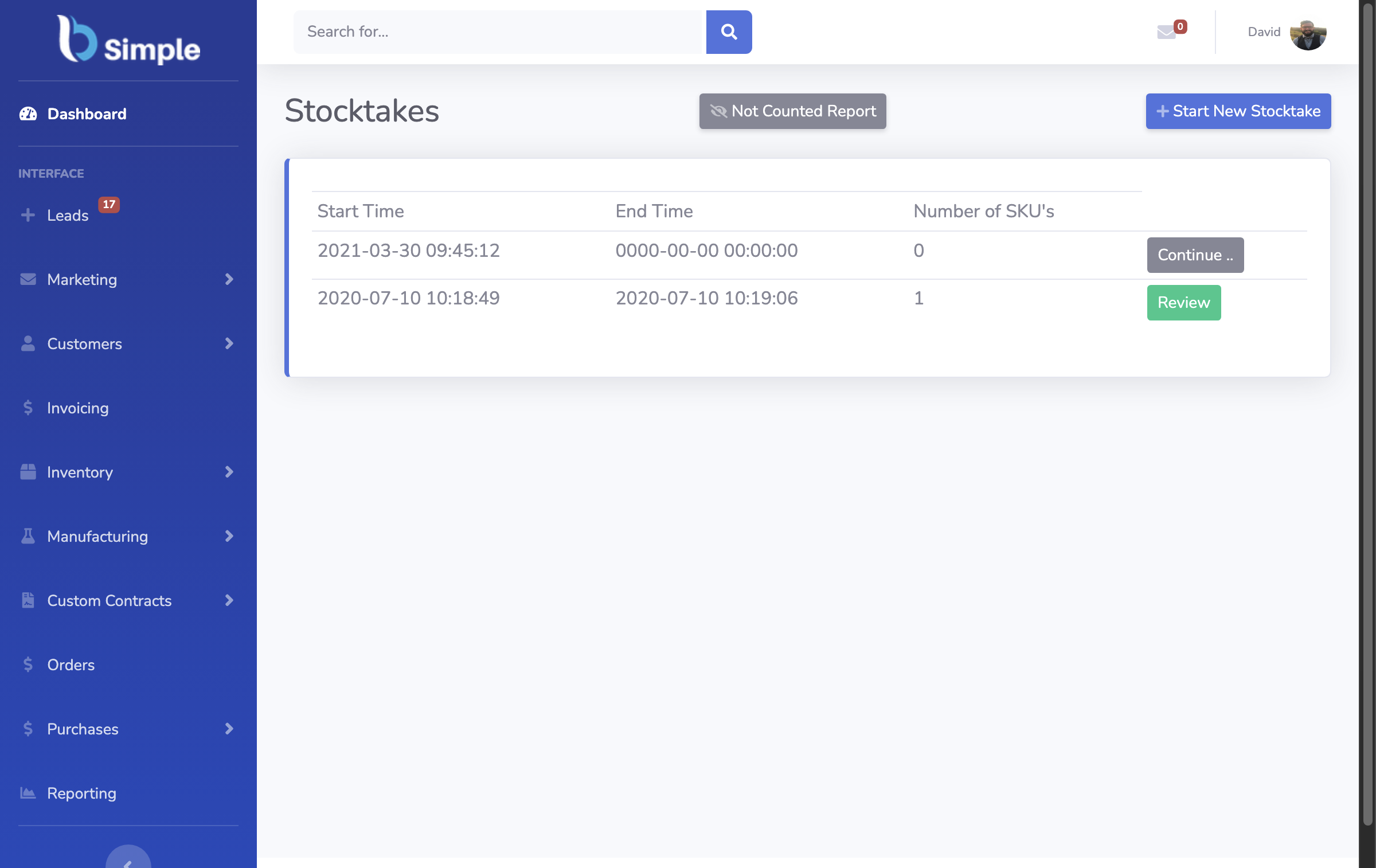
- A serious scan writes a movement — attributed, timestamped, document-linked — not just a lookup.
- BSimple handles all of it from any phone browser or desk scanner, included from $180/month (AUD).
- 01The short answer
- 02The four codes you will actually meet
- 03What a scan should do, and the checklist
The four codes you will actually meet
Supplier barcodes arrive on the stock: the EAN/UPC-style codes printed on retail packaging. Most businesses scan these as-is — no labelling project needed to start. Internal codes are the ones you print for what suppliers never pre-code: repacked goods, made-to-order items, and locations — bins, racks, rooms. Batch and lot codes identify the unit group: the delivery a product arrived in, its use-by date, its traceability path — the codes food, beverage and cosmetics businesses depend on. QR codes carry more data and suit where a phone camera is the reader and the code must resolve straight to a record.
A stock system worth having treats these differently: the product code identifies the item, the location code identifies where it sits, and the batch code identifies which group of units — three different questions, three different answers. Systems that flatten everything to "a code and a quantity" cannot answer where a lot went, which is the question recalls and audits ask. Barcode inventory management covers the practice in full.
What a scan should do, and the checklist
In a serious system, a scan is an entry into a live record: receiving scans count stock in against the purchase order, picking scans allocate against the order, counting scans reconcile the stocktake, and a batch scan opens the lot's history — who received it, where it went. Each scan is attributed and stamped at the moment of movement, which is what makes the record trustworthy later.
The checklist for any "barcode inventory software": Does a scan write a movement, or fill a search box? Can it use supplier codes on day one? Does it separate product, location and batch identity? Does it work from a phone browser, or does it demand a hardware purchase? Can it trace a lot in both directions? BSimple's answers are yes-to-movement, yes-to-supplier-codes, three distinct identities, phone-first with keyboard-wedge support, and two-way traceability with use-by dates — the scanning guide shows each answer in place, and the free trial runs them on your own shelves.
Frequently Asked Questions
Do we need to barcode everything before starting?
No — supplier-coded stock scans from day one, and internal codes can be added progressively: fast movers first, then problem bins. Waiting for a complete labelling project before any scanning is the most common way barcode projects stall. Unbarcoded lines can still be recorded manually in the same record.
What is the difference between a product barcode and a batch code?
The product barcode identifies the kind of item — every unit of the product shares it. The batch code identifies the group of units that arrived together — its delivery, its expiry, its path through your business. Product codes answer "what is this"; batch codes answer "which ones, from where, until when". Traceability needs the second kind.
Do 2D QR codes replace barcodes?
They complement them: QR codes carry more data and read well on phone cameras, which suits location codes and records that resolve straight to a screen. Supplier product barcodes are not going anywhere — the practical setup reads both, which any modern phone camera and most desk scanners handle.
Does BSimple print barcode labels?
No — label printing belongs to labelling tools, and BSimple reads the codes they produce, supplier codes included. The division is deliberate: the inventory system is where scans become stock movements, not where label artwork is laid out. The barcode generator question covers this boundary in detail.
BSimple