
Guide / order tracking
Order tracking software for small business
Tracking an order means knowing, without asking anyone: what was ordered, whether stock exists, where it sits between pick and dispatch, and whether it has been invoiced and paid. Here is what that takes.
The key facts
- What tracking means: every order has a visible state — received, checked, packed, invoiced, paid — on a record anyone on the team can read.
- Who needs it: not every small business; the ones where orders arrive daily and more than one person touches them.
- Customer visibility is part of tracking: wholesale customers see their own orders through the portal, cutting the "where is my order?" call.
- The boundary: tracking follows the order through your operation — courier parcels are the carrier's tracking, not yours.
- 01The key facts
- 02What order tracking actually means
- 03What to track on each order
- 04How BSimple tracks orders — and when you need it
What order tracking actually means
Most small businesses track orders the old way: someone remembers, someone asks, someone checks the spreadsheet that is usually behind. The information exists — it just lives in people and inboxes rather than on the order. When the customer calls, answering takes a phone tree of its own.
Order tracking software puts the state on the order itself, where everyone reads the same thing: received, stock checked, picked, packed, invoiced, paid. Each state change is recorded by the work that causes it — packing marks packed, invoicing marks invoiced — so the tracker is a by-product of doing the work, not a second job of updating it.
What to track on each order
- The state, as above — the single most valuable field, and the one spreadsheets never keep current.
- Stock position at the moment of order: confirmed against live quantities, including what is already promised to other customers.
- The history: who touched it, when quantities changed, what was invoiced — an audit trail, not a memory test.
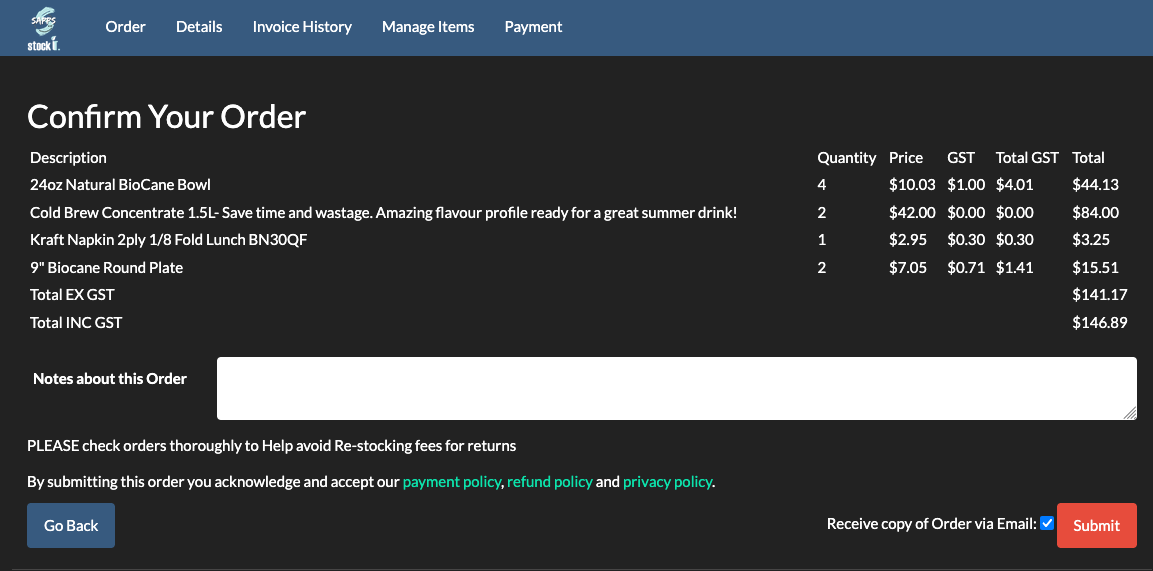
- The customer-facing version: through their ordering portal, each wholesale customer sees their own orders, products and pricing without seeing anyone else's.
- The money state: invoiced and paid, mirrored back from accounting so the team stops asking the bookkeeper.
Tracking that stops at dispatch misses the half small businesses argue about most — was it invoiced, has it been paid, and why does the stock record disagree.
How BSimple tracks orders — and when you need it
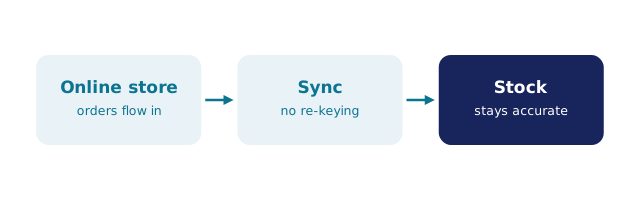
We build BSimple, so weigh that. Orders arrive into one record — from the portal, the phone, or a Shopify import — and each state change happens because the work happened: pick and pack drive the states, approval produces the invoice, and the accounting system mirrors payment status back. Nothing has to be updated twice. The order management page walks the full path, and what order management software is covers the definitions if you are early in the search.
The honest sizing question: if a handful of orders a week are handled by one person end to end, tracking software is premature. The need arrives with repetition and a second person — when orders come through the portal while someone else is packing, and the customer calls while both of you are busy. Plans start at $180/month (AUD), and the free trial shows the tracking working on your own test orders in an afternoon.
Frequently Asked Questions
What does order tracking software do?
It keeps a live, shared state on every order — received, checked, picked, packed, invoiced, paid — driven by the work itself, with history and customer visibility attached. It replaces the inbox-and-memory method of answering "where is my order?".
Do small businesses really need it?
Only past a threshold: orders most days, or more than one person handling them, or a mis-keyed order that has cost real money. Below that, a spreadsheet phase is genuinely fine — the need is triggered by repetition and consequence, not headcount.
Can customers track their own orders?
Yes — in BSimple each customer orders through their own portal link with their own products and pricing, and the order's state is visible there. Most businesses find the portal pays for itself in phone calls avoided.
Does order tracking include courier tracking?
No — parcel tracking numbers belong to the carrier's system, and we do not claim carrier integrations. BSimple tracks the order through your operation: what was ordered, whether stock exists, packing and dispatch state, and the invoicing that follows.

BSimple