
Guide / BSimple
Inventory Management System Zoho for Wholesale for Real-World Business
Whether it's stock sitting in a warehouse that you've forgotten about, customers waiting for items that should be in stock, or the annual EOFY stocktake nightmare that takes weeks to reconcile, these aren't small prob…
- Real-time inventory visibility across multiple warehouse locations and sales channels
- Automated purchase order generation based on customisable reorder points and lead times
- Negative inventory tracking to prevent overselling and customer disappointment
- Seamless Xero integration for accounting accuracy and EOFY compliance
- Customer ordering portal allowing wholesale customers to check stock and place orders independently
- Just-in-time inventory management to optimise stock levels and reduce capital tied up
- Mobile stocktake management with real-time counting and system reconciliation capabilities
When it comes to managing inventory for your wholesale, manufacturing, or distribution business, you need a system that actually works—not just another clunky software that slows you down. Welcome to our guide on inventory management system Zoho — see also our Inventory Management Software for the full picture. Many Australian businesses assume they need to choose between expensive enterprise solutions or spreadsheets held together with hope and formulas. The reality is that modern cloud-based inventory management has fundamentally changed what's possible for SMBs. Whether you're a Sydney coffee roaster tracking bean stock across multiple locations, a Melbourne brewery managing ingredient levels, or a manufacturing operation juggling raw materials and finished goods, the right system can transform how you operate. Inventory management system Zoho offers integration capabilities that connect directly with your accounting software, eliminating double-entry and reducing errors. But here's the thing—Zoho itself is just one option in a broader ecosystem. What matters most is finding a solution that fits your actual workflows, integrates with tools you already use, and doesn't require an IT degree to operate. This guide walks you through what to look for, how these systems solve real problems, and why Australian businesses are moving away from manual processes toward intelligent, automated inventory management.
- 01Why Inventory Management Matters for Australian Wholesalers
- 02How Inventory Management System Zoho Streamlines Your Operations
- 03Xero Integration: Where Inventory Meets Accounting
- 04Choosing the Right System: Beyond Just Zoho
Why Inventory Management Matters for Australian Wholesalers
Let's be honest: inventory headaches are costing you money right now. Whether it's stock sitting in a warehouse that you've forgotten about, customers waiting for items that should be in stock, or the annual EOFY stocktake nightmare that takes weeks to reconcile, these aren't small problems. An inventory management system Zoho integration addresses these pain points by centralising your stock data, automating reorder points, and giving you real-time visibility across all locations. For wholesale businesses especially, this visibility is gold. You can see exactly what's moving, what's stagnant, and what you need to reorder before you run dry. The beauty of cloud-based systems is that they work whether you're managing stock from your office, warehouse, or on the road. Real-time updates mean your team always knows what's actually available—no more overselling, no more customer disappointment. Manufacturing operations benefit enormously from just-in-time inventory features that help you maintain optimal stock levels without tying up capital in excess materials. Distribution businesses can track stock across multiple warehouses, automatically allocating orders to the closest location for faster fulfilment. When you integrate with your accounting software, every stock movement flows directly into your financial records, making EOFY reconciliation infinitely less painful. You're not just managing inventory; you're building a system that talks to every part of your business—purchasing, sales, accounting, and customer service all working from the same data source.
How Inventory Management System Zoho Streamlines Your Operations
How Inventory Management System Zoho Streamlines Your Operations
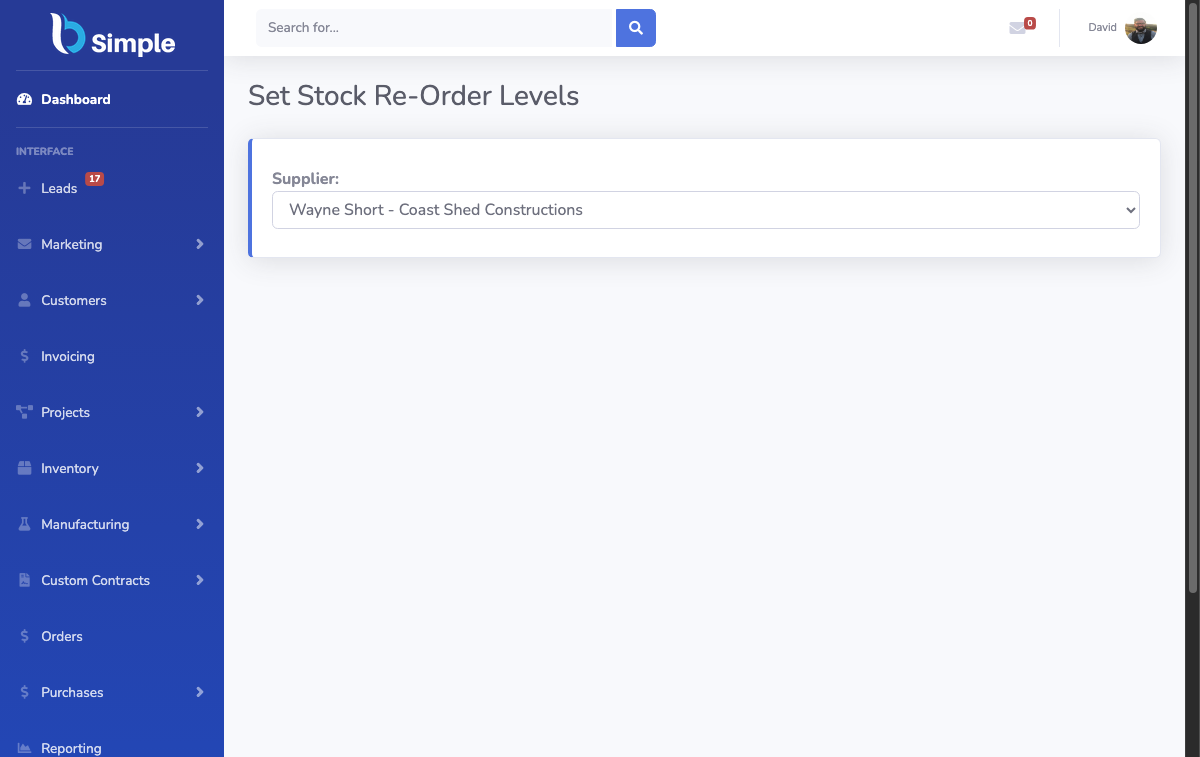
The core strength of an inventory management system Zoho setup is automation. Instead of manually checking stock levels, creating purchase orders, or chasing suppliers for delivery dates, the system handles these tasks intelligently. When stock drops below your set threshold, automated purchase orders can be generated and sent to suppliers—saving hours of admin work each week. For businesses with multiple suppliers, this is a game-changer. You can set different reorder points for different products based on lead times, demand patterns, and seasonal fluctuations. A Melbourne brewery might need to reorder hops months in advance due to supplier lead times, while packaging materials might only need a two-week buffer. The system learns your patterns and adjusts accordingly. Negative inventory tracking is another critical feature that prevents overselling. When you're managing customer orders across multiple channels—your website, wholesale customers, retail locations—it's easy to accidentally promise stock you don't have. Negative inventory tracking flags this immediately, preventing costly mistakes and customer service disasters. The customer ordering portal functionality is particularly valuable for wholesale businesses. Your wholesale customers can log in, check real-time stock availability, place orders, and track deliveries without bothering your team. This reduces phone calls, emails, and order entry errors. You're also capturing data about what customers actually want to order, which helps inform your inventory strategy. Check out our customer portal features to see how this transforms the wholesale experience. Stock takes become manageable instead of dreaded. Rather than a chaotic annual exercise, you can conduct rolling stocktakes using mobile devices, comparing counted stock against system records in real-time.

Xero Integration: Where Inventory Meets Accounting
Xero Integration: Where Inventory Meets Accounting
Here's why Xero integration matters so much for Australian businesses: your inventory and your accounting are not separate worlds. Every time you purchase stock, it's a balance sheet entry. Every time you sell, it's a revenue transaction. When you dispatch goods, your accounts receivable changes. Traditional systems force you to manage these separately, creating opportunities for errors and requiring manual reconciliation. An inventory management system with seamless Xero integration eliminates this friction. Stock purchases flow directly into your accounts payable, purchase orders match invoices automatically, and sales are recorded instantly when orders are fulfilled. For EOFY compliance and GST purposes, this integration is invaluable. Your inventory adjustments are automatically reflected in your financial records, making tax time significantly less stressful. You're not scrambling to reconcile discrepancies between your inventory count and your accounting records—they're already aligned. The integration also provides better visibility into profitability. You can see not just what's selling, but the true margin on each product when you factor in inventory holding costs, shrinkage, and obsolescence. This data helps you make smarter decisions about which products to stock more heavily and which to phase out. For manufacturing businesses especially, tracking raw material costs through to finished goods becomes transparent. You can see exactly how much of your cost of goods sold is materials, labour, and overhead. This level of insight is typically only available in much more expensive enterprise systems, but modern cloud-based solutions bring it within reach of Australian SMBs. Learn more about how our Xero integration works to connect your inventory and accounting seamlessly.
Choosing the Right System: Beyond Just Zoho
For a closer look at how these capabilities fit together, our warehouse management software guide ties it all together, and the guide to zara walks through the practical details. Choosing the Right System: Beyond Just Zoho
While Zoho is a legitimate option, the inventory management landscape has evolved considerably. When evaluating any system—whether it's Zoho or alternatives—focus on these practical considerations. First, how well does it integrate with your existing tools? If you're using Xero for accounting, your inventory system needs to talk to Xero properly. Not all integrations are created equal; some require manual syncing, others update in real-time. Real-time is what you want. Second, consider your specific business model. A wholesale distributor has different needs than a manufacturer, which has different needs than a retailer. Does the system handle your workflows, or do you need to twist yourself into knots to fit the software? Third, think about scalability and cost. Many cloud-based systems start reasonably priced but balloon as you add users or features. Understand the pricing model upfront. Fourth, evaluate the learning curve and support. A system that's powerful but impossible to use is worse than a simpler system you can actually leverage. Australian businesses especially value responsive support that understands local compliance requirements like GST and EOFY reporting. Finally, consider mobile functionality. If your team works across multiple locations or warehouses, they need to access and update inventory from the field. The best inventory management systems work just as well on a phone or tablet as on a desktop. Rather than assuming Zoho is your only option, explore solutions specifically designed for Australian wholesale, manufacturing, and distribution businesses. You might find that a system built specifically for your industry solves problems you didn't even know you had. Check out our full inventory management solution to see how purpose-built systems compare to generic options.

Frequently Asked Questions
Is Zoho inventory management suitable for Australian manufacturing businesses?
Zoho offers solid inventory features, but manufacturing-specific needs like Bill of Materials (BOM) tracking, work order management, and production scheduling may require additional modules. Australian manufacturers often need better EOFY compliance tools and GST-aware reporting.
How does inventory management system Zoho handle multiple warehouse locations?
Zoho supports multi-warehouse inventory tracking, allowing you to manage stock across different locations and automatically allocate orders. However, integration quality with accounting software varies, so verify Xero sync performance before committing.
Can Zoho inventory integrate directly with Xero for Australian GST compliance?
Zoho integrates with Xero, but the depth of integration depends on your setup. Real-time syncing of inventory adjustments and GST-compliant reporting requires proper configuration. Some Australian businesses find purpose-built alternatives offer smoother integration out of the box.
What are the main costs associated with Zoho inventory management?
Zoho pricing varies by module and user count, typically starting around $40-100 AUD per user monthly. Additional costs apply for advanced features, custom integrations, and premium support. Compare total cost of ownership against alternatives before deciding.
How does negative inventory tracking work in Zoho?
Zoho can flag negative inventory situations when orders exceed available stock, helping prevent overselling. However, configuration is required, and some users find the alerts less intuitive than dedicated inventory systems designed specifically for wholesale operations.
Does Zoho offer customer ordering portals for wholesale businesses?
Zoho has portal functionality, but it's often limited compared to systems purpose-built for B2B wholesale. Customer experience and feature richness vary significantly, so test thoroughly if this is critical to your operations.
What's the best way to migrate existing inventory data into Zoho?
Zoho supports data import via CSV and API, but migration complexity depends on your current system. Many Australian businesses benefit from professional migration services to ensure data accuracy and proper setup of automation rules.
BSimple