
Guide / BSimple
Inventory Management System For Small Business In Access Templates for Aussie SMBs
When you're running a Sydney coffee roaster managing multiple SKUs, or a Melbourne brewery coordinating raw materials with production schedules, you need something more intelligent.
- Real-time stock visibility across multiple locations with instant inventory level updates
- Automated purchase order generation based on reorder points and supplier lead times
- Customer ordering portals enabling 24/7 self-service order placement and tracking
- Seamless Xero integration for automatic accounting and GST compliance recording
- Negative inventory tracking for managing backorders and pre-committed stock accurately
- Mobile barcode scanning and stocktake management for efficient physical inventory counts
- Just-in-time inventory support minimising working capital while maintaining service levels
Managing inventory in a small business can feel like juggling chainsaws—especially when you're relying on outdated Access templates or spreadsheets that don't talk to each other. Welcome to our guide on inventory management system for small business in access templates — see also our Inventory Management Software for the full picture. The truth is, most Australian SMBs start with Access because it's familiar and cheap. But as your wholesale, manufacturing, or distribution business grows, those templates become a bottleneck. You're manually updating stock levels, struggling with EOFY stocktakes, losing track of customer orders, and spending hours reconciling data with Xero. That's where a proper inventory management system comes in. Unlike static Access templates, modern cloud-based solutions give you real-time visibility across your entire operation. You'll know exactly what's in stock, what's on order, and what your customers need—without the spreadsheet headaches. For Australian businesses dealing with GST compliance, multiple warehouse locations, and just-in-time inventory pressures, the right system transforms how you operate. It's not about replacing Access overnight; it's about upgrading to something that actually scales with your business and integrates seamlessly with the accounting software you're already using.
- 01Why Modern Systems Beat Access Templates
- 02Why Access Templates Fall Short for Growing Businesses
- 03Key Features That Transform Small Business Inventory
- 04Making the Transition From Access to Modern Inventory Management
Why Modern Systems Beat Access Templates
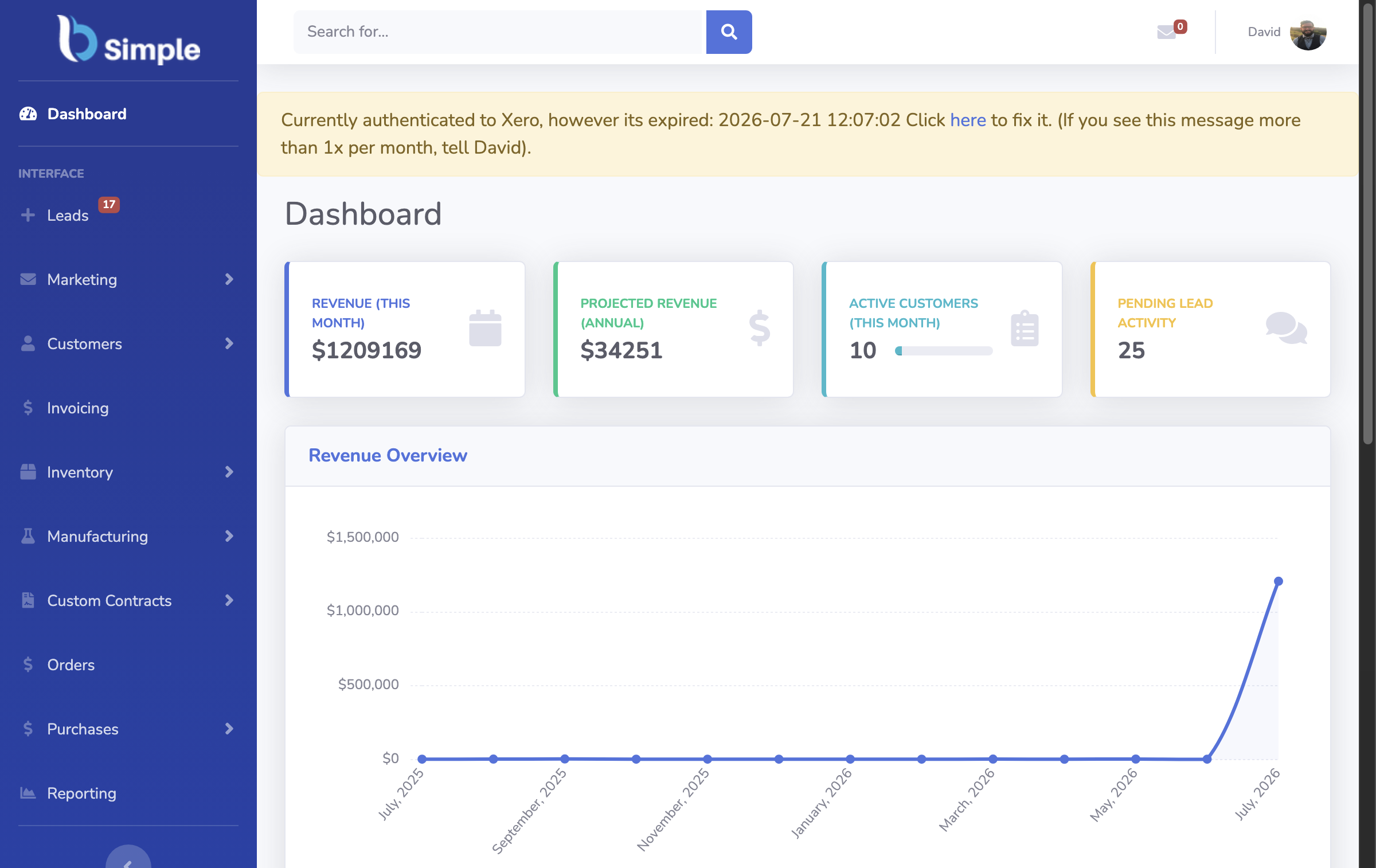
Let's be honest: Access templates were never designed for modern inventory management. They're static, prone to errors, and require constant manual intervention. When you're running a Sydney coffee roaster managing multiple SKUs, or a Melbourne brewery coordinating raw materials with production schedules, you need something more intelligent. A dedicated inventory management system built for small businesses offers automation that Access simply can't match. Real-time stock tracking means you see inventory levels update instantly as orders are placed and goods are received. No more 3pm surprises when you realise you've oversold a product because someone forgot to update the spreadsheet. Automated purchase order generation saves your team hours every week. Instead of manually creating POs based on stock levels, the system intelligently suggests orders based on your reorder points and supplier lead times. This is particularly valuable for manufacturing businesses that depend on consistent material availability. Customer ordering portals let your wholesale clients place orders directly, reducing back-and-forth emails and phone calls. They can see real-time stock availability, place orders 24/7, and track their purchases—all without touching your inventory system. Integration with Xero integration means your inventory data flows automatically into your accounting, eliminating manual data entry and reducing reconciliation headaches at EOFY. For distribution businesses especially, this seamless connection between inventory and accounts is transformative. You're no longer maintaining two separate systems; everything talks to everything else.
Why Access Templates Fall Short for Growing Businesses
Why Access Templates Fall Short for Growing Businesses
Access templates were designed for basic data storage, not for the complex demands of modern inventory management. When you're managing negative inventory tracking—crucial for pre-orders or backorders—Access becomes unwieldy. A proper system handles negative stock intelligently, showing you exactly what's committed to customers and what you need to fulfil. Stocktake management is another area where Access struggles. Conducting a physical stocktake across multiple locations, then manually updating an Access database, is error-prone and time-consuming. Modern systems support barcode scanning, mobile stocktake apps, and automatic variance reporting. You can identify discrepancies instantly and investigate shrinkage or data entry errors immediately. For Australian businesses managing GST compliance, having reliable inventory records is essential. Access templates don't provide audit trails or version control, making it difficult to demonstrate compliance during tax time. A cloud-based order management software solution maintains complete audit trails, showing who changed what and when. This is invaluable if the ATO ever questions your inventory valuations or cost of goods sold calculations. Scalability is another critical limitation. As you add more products, locations, and users, Access becomes increasingly unstable. Performance degrades, formulas break, and managing concurrent users becomes problematic. Cloud-based systems scale effortlessly, supporting your growth without technical headaches. You're not locked into a single workstation or limited by file size restrictions. Your team can access inventory data from anywhere—the warehouse, the office, or on the road—with full visibility and control.

Key Features That Transform Small Business Inventory
Key Features That Transform Small Business Inventory
A modern inventory management system designed for Australian SMBs should deliver features that directly address your operational challenges. Real-time stock visibility across all locations means you know exactly what's available before committing to a customer order. This prevents overselling and the customer service disasters that follow. Multi-location management is essential for businesses with warehouses in different cities or regional distribution points. You can track stock movements between locations, set location-specific reorder points, and manage transfers without manual spreadsheet updates. Automated reorder point management prevents stockouts and overstocking simultaneously. The system learns your sales patterns and supplier lead times, suggesting optimal reorder quantities. For a manufacturing business managing components with varying lead times, this intelligence prevents production delays. Just-in-time inventory support helps you minimise working capital tied up in stock while maintaining service levels. The system calculates optimal stock levels based on demand forecasts and supplier reliability. Customer ordering portals transform how you interact with wholesale clients. They see real-time availability, place orders independently, and reduce your administrative burden. Integration with wholesale management software ensures customer orders automatically flow into your fulfillment process without manual data entry. Barcode and SKU management streamlines receiving, picking, and packing operations. Your team scans products instead of manually recording movements, reducing errors and improving speed. Supplier management features help you track performance, manage lead times, and maintain contact information centrally. For distribution businesses juggling multiple suppliers, this visibility is invaluable.
Making the Transition From Access to Modern Inventory Management
For a closer look at how these capabilities fit together, our warehouse management software guide ties it all together, and the guide to related topics walks through the practical details. Making the Transition From Access to Modern Inventory Management
Moving away from Access templates feels risky, especially if your business has relied on them for years. The good news is that modern inventory systems are designed for easy migration. Most platforms provide data import tools that can read your existing Access databases and populate the new system automatically. You're not starting from scratch; you're upgrading your existing data structure. The transition process typically involves three phases. First, data preparation: cleaning up your Access database, standardising product codes and supplier information, and identifying any data quality issues. Second, system configuration: setting up your products, locations, suppliers, and customer accounts in the new system. This is where you'll define reorder points, lead times, and other business rules. Third, parallel running: operating both systems simultaneously for a short period to ensure data accuracy and build team confidence. Most Australian businesses complete this transition within 2-4 weeks, depending on complexity. Training your team is critical to success. Unlike Access, which requires technical knowledge to modify, modern inventory systems are designed for non-technical users. Your warehouse staff can scan barcodes, your sales team can check availability, and your managers can run reports—all without IT support. Cloud-based systems mean no installation, no server maintenance, and automatic updates. Your team always has access to the latest features and security patches. Cost is often a concern when moving from free Access templates to a paid solution. However, when you calculate the time saved on manual data entry, the reduction in stocktake errors, and the prevention of overselling incidents, the ROI becomes clear. Most Australian SMBs see payback within 3-6 months. Plus, you're not paying for expensive server infrastructure or IT support to maintain an on-premises system. Cloud-based pricing is predictable and scales with your business. As you add more users or products, costs increase incrementally rather than requiring large capital investments. For businesses preparing for EOFY stocktakes, transitioning to a modern system beforehand simplifies the entire process. You'll have accurate opening balances, clear audit trails, and automated variance reporting—making your accountant's job easier and your tax compliance more straightforward.

Frequently Asked Questions
Can I import my existing Access data into a modern inventory system?
Yes, most modern inventory platforms support direct data import from Access databases. The system reads your existing product, supplier, and stock level data, then populates the new database automatically. You may need to clean up data quality issues beforehand, but the process is straightforward and doesn't require manual re-entry.
How does a cloud-based system handle offline access if my internet drops?
Modern systems include offline mode functionality. Your team can continue scanning stock, creating orders, and recording movements on mobile devices. Once connectivity is restored, all changes sync automatically to the cloud. This ensures operations continue smoothly even during internet interruptions, which is crucial for warehouse operations.
Is a modern inventory system more expensive than using Access templates?
While cloud-based systems involve ongoing subscription costs, the ROI is typically achieved within 3-6 months through time savings, error reduction, and prevented stockouts. When you factor in the cost of your team's time managing spreadsheets, the cloud solution becomes cost-effective quickly. Plus, you avoid expensive server infrastructure and IT maintenance costs.
How does inventory management software integrate with Xero for Australian GST compliance?
Modern systems sync automatically with Xero, updating cost of goods sold, inventory valuations, and tax-related data in real-time. This ensures your financial records are always accurate and audit-ready. The system maintains complete audit trails showing all inventory movements, which the ATO requires for GST compliance verification.
Can multiple team members access the system simultaneously without data conflicts?
Cloud-based inventory systems support unlimited concurrent users without conflicts. Your warehouse team, sales staff, and managers can all access the system simultaneously. Changes are recorded in real-time with automatic reconciliation, preventing the data corruption issues common with shared Access files.
What happens during stocktake season with a modern inventory system?
Modern systems streamline stocktakes dramatically. Your team uses mobile barcode scanning apps to record physical counts, which automatically compare against system records. Discrepancies are highlighted instantly, allowing you to investigate and correct issues immediately. This reduces stocktake duration and improves accuracy significantly compared to manual spreadsheet-based processes.
How secure is my inventory data in a cloud-based system?
Cloud-based inventory systems employ enterprise-grade security including data encryption, regular backups, and compliance with Australian privacy standards. Your data is more secure than on a local server, which is vulnerable to hardware failure, theft, or inadequate backup procedures. Most systems offer automatic daily backups and disaster recovery capabilities.
BSimple