
Guide / billing and invoicing
What should billing and invoice management software do?
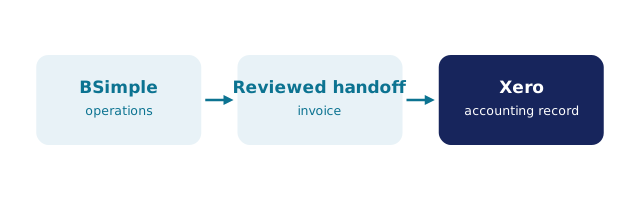
An invoice should be born from a checked order, approved deliberately, pushed to Xero or MYOB untouched, and paid without card details ever crossing a screen.
The facts about billing and invoicing software
- The best invoices are born from orders — the picked, checked order becomes the invoice, so what shipped is what was billed.
- Approval is a deliberate step: quantities are committed when the invoice is approved, not by accident.
- The accounting handoff decides the tool: invoices push to Xero or MYOB; payment status mirrors back; nobody re-keys.
- Card details should never be visible to staff — BSimple stores cards via EWay on PCI DSS compliant equipment.
- BSimple includes invoicing on every plan from $180/month (AUD) — it is the output of the operations record, not a separate module.
- Where it fits: this page is one branch of the inventory management guide.
- 01The facts about billing and invoicing software
- 02Where billing software usually goes wrong
- 03What a proper invoice flow looks like
- 04How to compare billing tools honestly
- 05Where BSimple fits
Where billing software usually goes wrong
Standalone billing tools solve the typing half of the problem and ignore the truth half. They produce handsome invoices — from data somebody re-entered. The invoice says twelve units; the warehouse picked ten; the customer disputes one line; and the truth lives in three systems that never compared notes. Every downstream cost — credit notes, reconciliation days, strained customers — traces back to the invoice being disconnected from the order.
The second mistake is treating approval as a formality. In a well-built flow, approval is the moment quantities become commitments: stock is deducted, the invoice is final, and the accounting system receives it. Software that auto-sends without that deliberate step is optimising for speed at the exact point where accuracy matters most.
What a proper invoice flow looks like
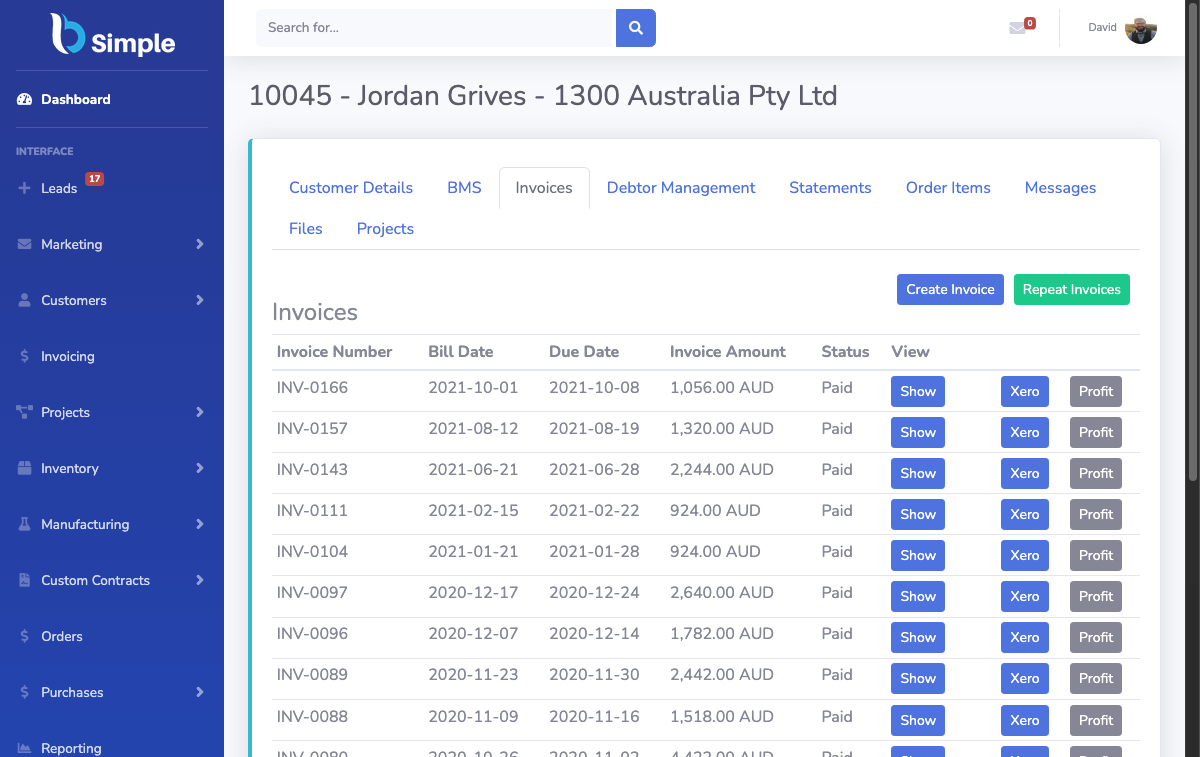
Order in. The customer orders through a portal, phone or synced store — entered once against live stock. Check and pick. The warehouse confirms the order is fillable and fills it. Approve. A deliberate step turns the checked order into an invoice — quantities committed, stock deducted. Push. The invoice lands in Xero or MYOB with GST intact; no re-entry, no export. Mirror. Payment status flows back — paid, voided — so operations and accounting agree without a reconciliation day. Collect. Cards stored securely via EWay on PCI DSS compliant equipment mean staff can charge a stored card without ever seeing the numbers, and scheduled payment options fit how trade customers actually pay.
That is the flow BSimple runs, end to end, on one record. The order management page walks the pre-invoice half of it, and the Xero integration details the handoff.
How to compare billing tools honestly
Ask where the invoice is born. If the tool generates invoices from a form, it is a typewriter with a logo — the data entry has moved, not gone. If it generates them from a checked order on the same record as stock and purchasing, billing becomes a by-product of operations rather than a department. Then test the return path: mark an invoice paid in the accounting system and see how long the operations side takes to notice — in BSimple it is immediate, because the status mirrors back.
Finally, price the whole loop including the payment stack: card storage, scheduled payments and approval workflow are included in BSimple's plans from $180/month (AUD), not upsold as premium billing features. The expense-side counterpart covers money flowing the other direction, and the tracking-software comparison covers the stock truth the invoices depend on.
Where BSimple fits
We build BSimple, so weigh that. Invoicing in BSimple is the output of the operations record: portal and phone orders, picking and packing, deliberate approval, then the push to Xero or MYOB with payment status mirroring back, and EWay-backed card storage for customers who pay by card. For wholesale, manufacturing, distribution and trade businesses, that covers the entire bill-to-collect loop without a separate billing product.
The boundary, as always: BSimple does not replace the accounting system — compliance, BAS and the ledger stay in Xero or MYOB. If you need a standalone invoicing tool for a business with no stock, any number of them will serve; if your invoices should be born from checked orders, start the free trial and take one order to invoice on day one.

Frequently Asked Questions
Does BSimple replace Xero or MYOB for invoicing?
No — it feeds them. Invoices are created and approved in BSimple, pushed to your accounting system as the system of record, and payment status mirrors back. Compliance and the ledger stay with the accountant's tool; the operational truth stays with the operations one.
How does card storage work — is it secure?
Cards are stored by EWay on PCI DSS compliant equipment. Staff and BSimple screens cannot display card details — a payment runs against the stored token. That design keeps the compliance burden with the payment provider, where it belongs.
Can customers see and pay their invoices themselves?
Customers order through their own portal link with their own products and pricing, and their order history lives on the same record. Payment handling — including stored-card charges and scheduled payment options — runs through the EWay integration without card details crossing a screen.
What happens when an order changes after invoicing?
Approval is the deliberate step where quantities commit — before that, changes are edits; after, they are credits and reissues, recorded against the same trail. The accounting system receives the corrected result, so operations and books converge instead of diverging.
Is billing included in every plan or sold separately?
Included — invoicing, approval workflow, the EWay card integration and the accounting handoff are part of BSimple's core plans from $180/month (AUD). Billing that emerges from the operations record is not a module; it is the point.
BSimple