
Guide / scanning apps
An app to scan barcodes for inventory
The camera in your pocket is already a barcode scanner — the app question is what happens after the beep. Scans that post real transactions to your stock record change the business; scans into a list just save typing.
The key facts
- Any modern phone is the scanner: the camera reads standard barcodes and QR codes — no dedicated hardware needed to start.
- The app is the record, not the scanner: a scan must post a transaction (receive, issue, adjust, pick) to the same ledger orders and invoices use.
- BSimple needs no app-store install: it runs in the phone's browser, on the same record as the rest of the business, from $180/month (AUD) with a free trial.
- Where it fits: this page zooms into one part of barcode inventory management.
- 01The key facts
- 02What the app actually needs to do
- 03Browser app or app-store app?
- 04Trying it on your own stock
What the app actually needs to do
Scanning itself is a solved problem: point the camera, the code is read. An inventory scanning app earns its place on four behaviours:
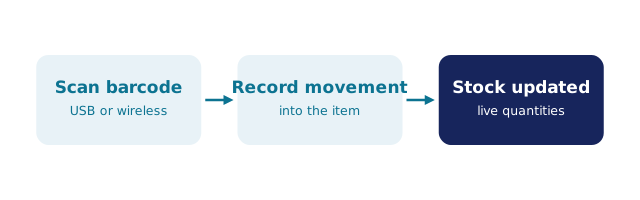
- It posts, not notes. Each scan becomes a movement — stock up on receipt, down on issue, adjusted at count — with the user and timestamp recorded. A scan that types into a cell or a standalone list saves keystrokes and nothing else.
- It works against live quantities. Picking and issuing should confirm availability from the same record sales and the portal see, not from a copy.
- It refuses mistakes. Scanning the wrong line or an item below its available quantity should be stopped at the shelf, not discovered at the invoice.
- It feeds the workflow. Received goods close the loop on purchase orders; picked lines move the order toward packed and invoiced.
Most free scanning apps stop at the first bullet's front door — they scan into a list. The list still has to be reconciled into your stock record by a human, which is the work you were trying to delete.
Browser app or app-store app?
Native app-store apps have one real advantage — offline scanning in a black spot — and a real cost: installs, updates and per-device accounts. A browser-based scanner needs none of that: open the page, scan, done. For warehouse and backroom work where wi-fi reaches, the browser is the lower-friction path; teams with genuine dead zones should ask any vendor directly how offline scanning syncs, because that is where copy gets vague.
BSimple is browser-based by design: counts, receipts and picks run from any phone browser against the live record, with no install and nothing to update. Scanning is native to the inventory ledger — the scanning guide covers the hardware choices (phone versus dedicated scanner) and where each fits.
Trying it on your own stock
The honest test of any scanning app is one loop on your own products: label five items, receive them by scan against a purchase order, count a shelf, pick one line for an order — and check that every quantity the app touched matches what your team expects, without anyone typing anything. BSimple runs that loop with the purchasing, order and invoice workflow attached, plans from $180/month (AUD); the free trial needs no card to start. If you are comparing the market first, the barcode scanner software comparison narrows the options honestly.
Frequently Asked Questions
What is the best app to scan barcodes for inventory?
The one that posts scans as transactions into the record your orders and invoices share. Free scanner apps are fine for testing labels; once accuracy matters, the app and the stock record need to be the same system — which is how BSimple is built.
Do I need a dedicated barcode scanner?
Not to start — phone cameras read standard codes well. Dedicated scanners are faster at a busy receiving bench or packing station, and many businesses mix both. The record matters more than the reader.
Does BSimple have a mobile app?
It is browser-based instead: scanning, counts and picks run in the phone's browser with no install or app-store update. If your team works in areas with no connectivity at all, test that honestly in the trial before committing.
Can scanning update my accounting?
Indirectly, and that is the right order: scans update the stock record, workflow turns records into invoices, and approved invoices push to Xero or MYOB with payment status mirroring back. Scanning into accounting directly skips the operations record — and the audit trail with it.
BSimple