Inventory Management System Vba for Australian Business
Inventory Management System Vba helps Australian wholesalers and manufacturers manage inventory, orders, and purchasing. Xero integration, customer portals, ...
- Automated reorder point calculations based on sales velocity and supplier lead times
- Real-time inventory visibility across multiple warehouse locations and SKUs
- Seamless Xero integration for accurate cost of goods sold and EOFY compliance
- Customer ordering portals with live stock availability and automated order processing
- Negative inventory tracking for just-in-time inventory management
- Automated purchase order generation with supplier notifications and tracking
- Complete audit trails and user permission controls for security and compliance
Understanding inventory management system VBA can seem daunting for Australian wholesalers and manufacturers, but it doesn't have to be complicated — see also our Inventory Management Software for the full picture. VBA (Visual Basic for Applications) is a programming language built into Microsoft Excel that allows businesses to automate repetitive inventory tasks, create custom workflows, and build tailored solutions without needing expensive enterprise software. For many Australian SMBs, VBA has been the go-to solution for decades, enabling businesses to create macros that handle stock level calculations, generate purchase orders, and manage supplier communications directly within familiar spreadsheets. However, while VBA offers flexibility and customisation, it comes with significant limitations. Spreadsheet-based systems are prone to human error, lack real-time visibility across multiple locations, struggle with concurrent user access, and become increasingly difficult to maintain as your business scales. Many Australian distributors and manufacturers have discovered that while VBA can work in the short term, it often becomes a bottleneck as inventory complexity grows. Modern cloud-based inventory management systems now offer the automation benefits of VBA without the technical debt, security risks, and scalability issues that plague spreadsheet solutions. This guide explores VBA inventory management, its practical applications for Australian businesses, and why many companies are transitioning to dedicated cloud solutions that integrate seamlessly with Xero and provide real-time visibility across your entire operation.
Understanding VBA Inventory Systems and Their Limitations
VBA-based inventory systems typically operate by automating Excel calculations and data entry processes that would otherwise require manual intervention. A common example is a Melbourne brewery that uses VBA macros to automatically calculate reorder points based on historical sales data, generate purchase orders when stock falls below minimum thresholds, and send email notifications to suppliers. The macro might pull data from multiple worksheets, cross-reference supplier pricing, calculate optimal order quantities using economic order quantity (EOQ) formulas, and format the purchase order in a standardised template. For Australian wholesalers dealing with hundreds of SKUs across multiple warehouses, VBA scripts can consolidate inventory data from different locations, calculate total stock positions, flag slow-moving items, and identify potential stockouts before they impact customer orders. Another practical application is EOFY stocktake management — VBA can automate the reconciliation between physical counts and system records, highlight discrepancies, and generate variance reports for GST compliance purposes. The appeal of VBA lies in its accessibility; if you have Excel and basic programming knowledge, you can build solutions tailored specifically to your business processes without waiting for vendor updates or paying licensing fees for features you don't need. Many Australian businesses have invested years in developing custom VBA solutions that work exactly the way their teams operate. However, this customisation comes at a cost. VBA macros are difficult to troubleshoot when errors occur, require specialised knowledge to maintain, and create dependency on individuals who understand the code. When that person leaves your business, you're left with undocumented macros that nobody else can modify or support.
Why VBA Spreadsheet Systems Struggle at Scale
The Hidden Costs and Limitations of Spreadsheet-Based Inventory Systems
While VBA inventory systems can deliver results in the short term, they introduce several operational challenges that become increasingly problematic as your business grows. Data integrity is a significant concern — Excel files are easily corrupted, formulas can be accidentally overwritten, and without version control, it's impossible to track who made changes and when. A Sydney coffee roaster discovered this the hard way when a staff member accidentally deleted a critical formula during a routine update, causing their reorder calculations to fail silently for three weeks. They only discovered the problem when they ran out of premium beans and had to rush-order at premium prices. Real-time visibility is another major limitation. VBA systems typically require manual data entry or periodic imports from your point-of-sale or accounting system, meaning your inventory figures are always slightly out of date. When you're managing just-in-time inventory — a critical practice for manufacturers trying to minimise working capital — this lag can result in overstock or stockouts. Integration with other business systems is clunky at best. If you want to sync inventory data with Xero for accurate cost of goods sold calculations or pull customer order information from a separate system, you're relying on manual exports and imports or complex VBA scripts that break whenever the source system updates. Security and compliance present additional challenges. Excel files containing sensitive supplier pricing or inventory forecasts are easily copied and shared outside your organisation. There's no audit trail showing which employees accessed or modified data, making it difficult to comply with internal controls or demonstrate GST compliance during ATO reviews. Our cloud-based inventory management solution addresses these limitations by providing real-time data synchronisation, automatic backups, user permission controls, and complete audit trails — all without requiring a single line of VBA code.
Cloud Solutions That Replace VBA Without Complexity
How Modern Cloud Solutions Replace VBA Inventory Systems
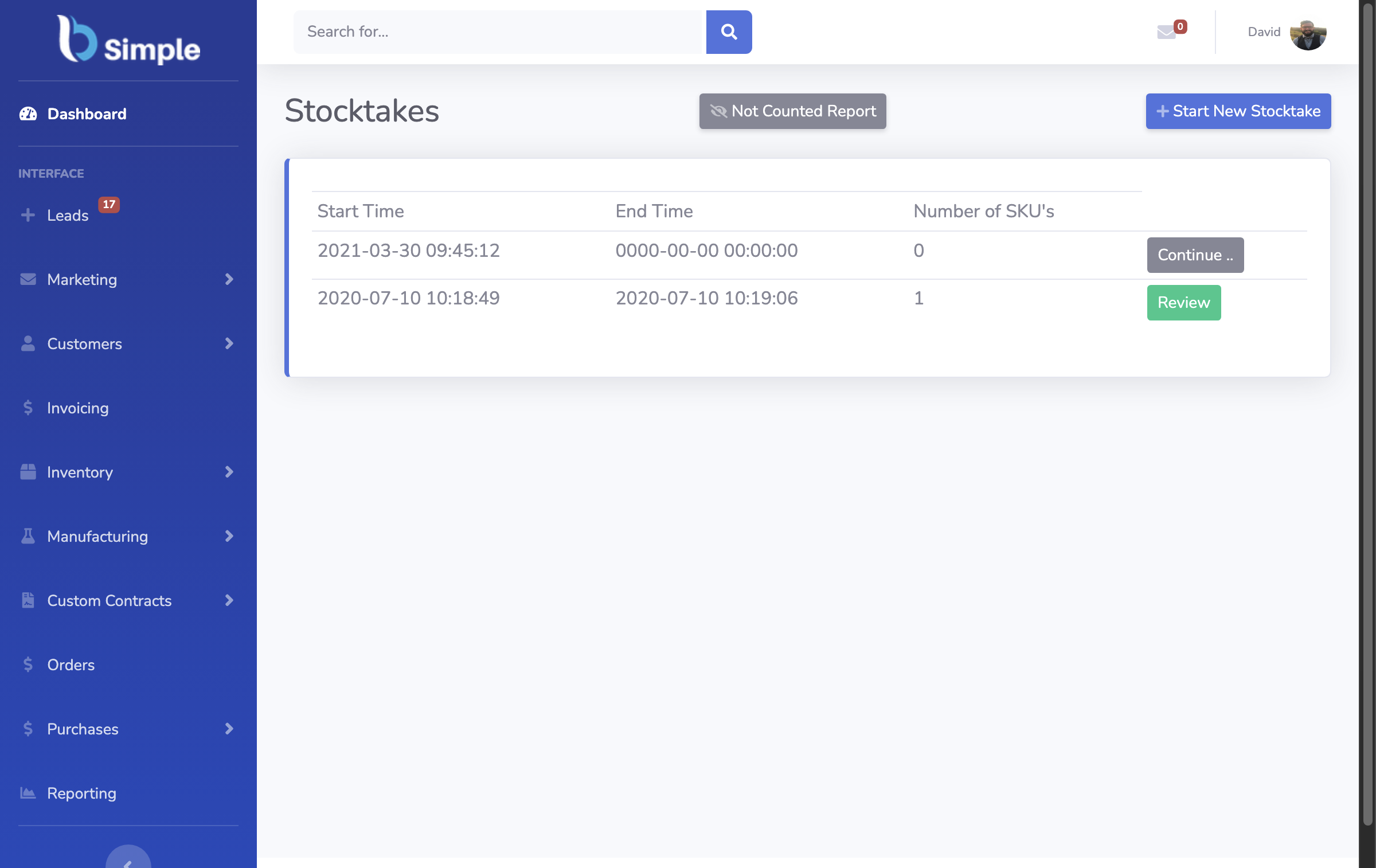
Contemporary cloud-based inventory management platforms like BSimple are purpose-built to handle the complexity that VBA systems struggle with. Rather than relying on manually maintained spreadsheets and custom macros, these systems provide built-in automation that's more reliable, scalable, and secure. When a manufacturing business in Brisbane needs to automate their reorder process, instead of writing VBA code, they simply configure rules within the system — set minimum stock levels, define lead times for each supplier, and the system automatically generates purchase orders and notifies suppliers when thresholds are breached. The difference is profound: the system maintains an audit trail, prevents duplicate orders, integrates seamlessly with your accounting software, and adapts automatically as your business grows. Real-time inventory visibility is another game-changer. Cloud systems update stock levels instantly as transactions occur, whether that's a warehouse picking an order, a supplier delivering goods, or a customer placing an order through your online portal. This real-time visibility enables just-in-time inventory management that simply isn't possible with spreadsheets updated daily or weekly. For Australian distributors managing negative inventory tracking (where you can sell stock you don't currently have, with the understanding that it will arrive from suppliers), cloud systems provide the visibility needed to manage this complex scenario without risking overselling. Integration with Xero transforms how Australian businesses manage cash flow and profitability. Rather than manually entering inventory costs into your accounting system, the software synchronises automatically, ensuring your balance sheet accurately reflects inventory value and your profit and loss statement reflects true cost of goods sold. This integration also simplifies EOFY stocktake processes — you can reconcile physical counts directly within the system, and the software automatically adjusts Xero records. Customer ordering portals represent another capability that VBA simply can't replicate. Instead of customers emailing or calling with orders, they log into a self-service portal, see real-time stock availability, check pricing, and place orders directly. This reduces order entry errors, accelerates the sales process, and frees your team to focus on higher-value activities. Our Xero integration ensures that every order placed through the customer portal automatically flows into your accounting system, eliminating manual data entry and the errors that inevitably follow.
Transitioning Your Business from VBA to Modern Cloud Systems
For a closer look at how these capabilities fit together, our warehouse management software guide ties it all together, and the guide to vb net walks through the practical details. Making the Transition from VBA to Cloud-Based Inventory Management
If your Australian business has been relying on VBA inventory systems, the prospect of transitioning to cloud software might feel daunting. You've invested time and resources into building systems that work, and your team understands how they operate. However, the transition is typically smoother than expected, and the benefits justify the effort. The first step is honest assessment. Document what your current VBA system actually does — which processes it automates, what reports it generates, how it integrates with other systems, and what problems it solves. Many businesses discover that they're maintaining VBA functionality that nobody actually uses, or that could be handled more efficiently by a dedicated system. Next, evaluate cloud solutions based on your specific requirements. For wholesale businesses, prioritise systems that handle multi-location inventory, customer ordering portals, and supplier management. For manufacturers, focus on systems that support bill of materials, work order management, and production tracking. For distributors, ensure the system handles complex pricing structures, customer-specific pricing tiers, and automated reordering. Data migration is typically straightforward — most cloud systems can import historical inventory data from Excel or your existing accounting system. You don't need to manually re-enter everything; instead, you prepare your data in the required format and the system imports it automatically. Your team will need training, but this is usually minimal since cloud systems are designed for usability rather than requiring programming knowledge. Many Australian businesses find that their staff become more productive within weeks because they're working with intuitive interfaces rather than complex spreadsheets. The transition period is also an opportunity to review and improve your inventory processes. Rather than simply replicating your VBA system in the cloud, you can streamline workflows, eliminate manual steps, and implement best practices that your previous system couldn't support. A distribution business in Perth, for example, discovered during their transition that they could implement automated negative inventory tracking, reducing their need to maintain safety stock and freeing up significant working capital. The key to successful transition is choosing a system that integrates with your existing tools — particularly Xero if you're using that for accounting. This integration eliminates the need to maintain separate systems and ensures data consistency across your business. BSimple's customer ordering portal and automated PO generation mean you're not just replacing your VBA system; you're upgrading your entire inventory workflow to something more efficient, reliable, and scalable.
Frequently Asked Questions
What is VBA in inventory management?
VBA (Visual Basic for Applications) is a programming language in Excel that automates inventory tasks like calculating reorder points, generating purchase orders, and managing stock levels through custom macros and formulas.
Why are Australian businesses moving away from VBA inventory systems?
VBA systems lack real-time visibility, are prone to errors, difficult to maintain, create security risks, and don't scale well as businesses grow. Cloud solutions provide automation without these limitations.
Can cloud inventory systems replicate what my VBA macros do?
Yes, cloud systems automate the same processes VBA handles, but more reliably. They provide real-time updates, audit trails, integration with Xero, and don't require programming knowledge to maintain.
How do I migrate from VBA to cloud inventory management?
Document your current VBA functionality, choose a cloud system matching your needs, import your data, train your team, and gradually transition workflows. Most migrations take weeks rather than months.
Does cloud inventory software integrate with Xero for Australian GST compliance?
Yes, cloud systems like BSimple integrate seamlessly with Xero, automatically synchronising inventory costs and supporting EOFY stocktakes and GST compliance requirements.
What's the cost difference between maintaining VBA systems versus cloud software?
While VBA appears free, it requires ongoing maintenance, creates hidden costs through errors and inefficiency, and risks business disruption. Cloud software provides transparent pricing with no hidden technical debt.
Can I use customer ordering portals with VBA-based systems?
No, VBA cannot create customer portals. Cloud systems provide self-service ordering, real-time stock visibility to customers, and automatic integration with your accounting system.